Help & Support

Aangan — community app for residential communities

Aangan helps residents of an apartment society or gated community find their neighbours, join groups and classes, and handle the everyday running of the place — notices, visitors, maintenance, amenities and more.

Watch how it works — short videos for every part of the app.

How Aangan works — the questions residents ask most, answered.

Learn Aangan

60 short videos, one task each. Most take under two minutes.

play_arrow0:54New here? Start with thisAangan for ResidentsOne app for news, neighbours, bookings, polls and more — a two-minute tour of what your society can do on Aangan.Watch on YouTube open_in_new
rocket_launch

Getting Started

7 videos
play_arrow2:06Onboarding to Community2:06play_arrow0:24Community Guide0:24play_arrow0:43My Profile0:43play_arrow0:37Home Screen Widget0:37play_arrow1:40Pin Your Groups1:40
campaign

Stay Informed

10 videos
play_arrow0:24News0:24play_arrow0:24Community Calendar0:24play_arrow0:24Community Feed0:24play_arrow0:24Videos0:24play_arrow0:28Society Guidelines0:28
diversity_3

Neighbours & Activities

12 videos
play_arrow0:28Discover0:28play_arrow0:27Groups0:27play_arrow0:29Area Groups0:29play_arrow0:28Private Invites0:28play_arrow1:09Find Sports Partners1:09
storefront

Local Shops & Services

9 videos
play_arrow0:30Food & Bazaar0:30play_arrow4:26Daily Deliveries4:26play_arrow0:51Marketplace0:51play_arrow0:34Book Lending0:34play_arrow0:30Classes and Services0:30
how_to_vote

Have Your Say

6 videos
play_arrow0:26Polls & Surveys0:26play_arrow0:26Suggestions0:26play_arrow0:22Initiatives0:22play_arrow0:22Area Polls0:22play_arrow0:23Area Petitions0:23
celebration

Events

4 videos
play_arrow3:32Organise an Event3:32play_arrow3:12Community Events3:12play_arrow4:15Festivals4:15play_arrow0:26Amenities0:26
account_balance

Committee & Governance

8 videos
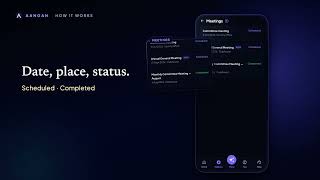
play_arrow0:27Your Committee0:27play_arrow0:29Society Elections0:29play_arrow0:36AGM0:36play_arrow0:21Meetings0:21play_arrow0:32My Action Items0:32
playlist_playWatch the whole residents’ guide on YouTubeopen_in_new

Contact us

The quickest way to reach us is email. We reply within 2 working days.

support@dyuthix.com

It helps if you tell us your community name, the email you signed in with, and whether you’re on Android, iPhone or the web.

Already signed in?

Residents can raise a ticket from inside the app — open Settings → Support, or go to the support inbox. Tickets go to your community’s committee and, where needed, to us.

Common questions

How do I join my community?

Sign in with Google or Apple, then pick your community and your flat. Your committee approves new members, so there may be a short wait before everything unlocks. You’ll get a notification once you’re approved.

I signed in but I can't see anything yet.

Your membership is probably still awaiting approval. If it’s been more than a couple of days, contact your community committee, or email us and we’ll help chase it.

My community isn't listed.

Aangan is set up one community at a time, with the committee’s agreement. Email us with your society’s name and city and we’ll get in touch with them.

I'm in more than one community.

That’s supported — tap the community name at the top of the app to switch. Your profile, habits and coins follow you between them.

I'm not getting notifications.

Check that notifications are allowed for Aangan in your phone’s settings, and that you haven’t muted the specific group or channel in the app. Signing out and back in refreshes the delivery token.

How do I report a post, a message or another resident?

Every post, comment, listing and profile has a Report option, and you can block another resident from their profile. Reports go to your community’s committee for review. Anything urgent or unsafe — email us directly and we will act on it.

How do I delete my account?

In the app, go to Settings → Delete my account. Deletion is immediate. See account deletion for what is removed and what your community keeps.

What data does Aangan hold about me?

See our privacy policy. To request a copy of your data, email us from the address you signed in with.

How Aangan works

The questions residents ask most. Some features below are switched on society by society, so not everything here will be in your app.

Buying & selling

Neighbours selling, giving away and lending things to each other.

Buying & borrowing

›Where do I find something I've ordered?

Open Marketplace and tap Purchases at the top. Everything you have ordered or asked to borrow is there, newest first.

The listing itself also tells you. Go back to the thing you ordered and it says so, with where the order stands — tap that to open it.

And when something happens to an order, tapping the notification opens that order itself, not the list.

›How do I pay?

Whichever way the seller offered: cash when you collect it, UPI, or Aangan Coins if your society uses them. You choose when you order.

Cash is settled at the door. UPI puts a pay link on your order that opens your payment app with the amount and a reference already filled in. Coins leave your balance the moment you order.

›I paid by UPI, so why does it still say waiting for the seller to confirm?

Because Aangan cannot see your bank. Tapping “I've paid” tells the seller to look; they confirm once the money has arrived.

It is their acknowledgement, not a check on the payment. If it sits there, message them — the listing has their number.

›Can I cancel an order?

Yes, while it is still waiting for handover. The item goes straight back on the board for a neighbour.

If you paid in coins they are refunded to you as part of the cancellation.

›It says Sold, but I ordered one. Have I lost it?

No. Sold means there are none left to order, not that your order fell through — often it is sold because YOU took the last one.

Your order is in Purchases, and the listing shows it too.

›What does Reserved mean?

Somebody has an order open on it. It is not a state a seller sets — it is simply how a listing reads while an order is live, and it clears if that order is cancelled.

›Can I order something that is Reserved?

If the seller has more than one and some are left, yes — order as normal. If it was the only one, wait: the listing comes back if the order is called off.

›How does borrowing work?

Pick your dates and send a request. Days somebody has already booked cannot be picked, and the sheet tells you the earliest dates that are free.

The lender accepts, you pay before you collect it, and they mark it handed over. When you bring it back they mark it returned.

›I kept it longer than I said I would.

The extra for the days beyond your date is worked out at the same rate and added to the order, so nobody has to do the arithmetic.

The lender can let it go if they would rather not charge you.

›Does Aangan hold the money?

No. There is no escrow and no fee — you and your neighbour settle it between you, and the app only keeps track of what was agreed.

Aangan Coins are the one exception: they are inside Aangan, so they move from your balance to the seller's as you order, and come back if the order is cancelled.

Selling & lending

›How do I list something?

Marketplace, then Sell. A title, a price and a photo are enough.

If you have more than one, set the quantity — each order takes from it, and the listing marks itself sold when the last one goes.

›Who can see what I've listed?

Only people in your society. A listing never leaves it, and is never shown on the public website.

›How will I know somebody has ordered?

A notification on your phone, a WhatsApp message if you have that switched on, and a count on Sales at the top of Marketplace. Tapping the notification opens that order.

Opening the listing also shows you who has ordered it, with their flat.

›What do Active, Reserved and Sold mean on my listings?

Active is on the board and orderable. Reserved means somebody has an order open on it. Sold means there is nothing left.

Sold happens on its own when the last one is taken — you do not have to set it, though you can.

›The buyer says they've paid. Should I just confirm it?

Only once the money is actually with you. Confirming is your own record that it arrived, and it is what closes the payment side of the order.

If you confirmed too early you can undo it while the order is still open.

›Can I mark something sold while somebody has an order open?

You can, but Aangan names the person first and asks you to confirm — so nobody is left holding an order on a listing that says sold.

Better to hand it over or cancel their order, so they know where they stand.

›Can I delete a listing somebody has ordered?

Not while a coin order is live on it — cancel that first, which refunds the buyer, and then delete.

Otherwise deleting takes its orders with it, so tell the person before you do. Any coins you were given for listing it go back too.

›I want to give something away rather than sell it.

Choose Giveaway when you list it. It is the same flow with no payment step at all: a neighbour asks for it, and you mark it handed over.

›What do I have to do when I lend something?

Accept or decline the dates you are asked for. Mark it handed over when they collect it, and “Got it back” when it returns.

If it comes back late the extra is worked out for you, and you can waive it.

›Can I lend or sell to someone who isn't on Aangan?

Yes. Open your listing and tap “Lent it to someone yourself?” (or “Sold it…”). Type their name, and the flat and phone if you like, the dates and what was agreed, and whether they paid in cash or by UPI. They need no app and no account.

It is your own record: only you see it, the committee does not, and Aangan never messages them. If you add their phone, a Remind button opens WhatsApp on your phone with a message ready for you to send. Their number is cleared three months after the record is closed.

›Does a loan I wrote down stop a neighbour borrowing the same copy?

Yes — the copy shows as out for those days, exactly as it does for a loan made through the app, so nobody is promised a book that is on somebody's shelf. A recorded sale takes one off what is left in the same way. Neighbours only see that it is out, never who has it.

You get one reminder on the day it is due, and after that the card just says how late it is. Mark it back when it returns and the copy is free again.

›Somebody ordered and then went quiet.

Cancel the order from Sales. The item goes back on the board immediately, and their coins — if they paid in coins — go back to them.

Aangan Coins

What coins are, what they are worth, and the one thing they will never be.

›What are Aangan Coins?

Something you earn by taking part — reading, walking, keeping a habit, playing, helping out. Your balance shows what they are worth alongside it: 100 coins is ₹1.

›Can I buy coins, or turn them back into money?

Neither, and that is deliberate rather than a missing feature. Nothing in Aangan sells coins, and no screen anywhere converts them to cash.

That is the line that keeps them closer to loyalty points than to a wallet, and it is enforced by a test that fails if either ever changes.

›What can I spend them on?

Wherever your society has switched coin payment on: a marketplace listing priced in coins, food from a neighbour's kitchen, and other things as the committee adds them.

If you never see the option, your society has not enabled it — the coins keep adding up regardless.

›Why does the pay screen say “Uses 120 Reading + 30 General”?

Coins remember what earned them. Coins earned by reading go back into reading — borrowing a neighbour's book — rather than into a plate of biryani, so a reward stays inside the habit it rewarded.

General coins go anywhere, which is exactly why they are spent last: the flexible ones are kept for when nothing else fits.

›Which coins go where?

Everything you do day to day pays General coins: a day's steps, a sit, a puzzle solved, joining a challenge.

Finishing a challenge pays coins of its kind: Reading for a reading challenge, Fitness for a step challenge, Mindfulness for a meditation challenge and Games for a puzzle challenge. Checking in on time for a game pays Discipline coins.

Tap your coins on Home to see each kind and when you earned every one.

›Do my coins stay with me if I move, or join a second society?

They stay with you. Coins belong to the person, not the society, so they follow you between communities — as do your habits, steps and your single-player scores.

›I staked coins on a commitment and did not manage it. Where did they go?

Nowhere. A forfeit is burned rather than paid to anybody or pooled into a prize, which is what keeps a commitment a promise to yourself rather than a bet.

Maintenance dues

Your bills, what the late fee really does, and why a payment you have made can still show as due.

Your bills

›Where do I see what I owe?

Open Bills. What is still owed is at the top with the total across every bill, and what you have already cleared is below it.

Each bill shows the amount, what has been paid against it so far, what is left and the date it is due. Tap one to open it.

›My bill is dated the 1st, but I only received it later in the month. Why?

Because a maintenance bill belongs to the month it COVERS, not the day the committee generated it. July's maintenance is dated July even if the bill run went out on 3 August — that is what makes your statement, and the society's accounts, add up month by month.

The due date is the one that matters to you, and it is set separately. A bill raised late is not expected to have been paid before you got it.

›A bill I could see earlier has gone.

It was cancelled by the committee — a bill raised by mistake, usually, or one replaced by a corrected version. A cancelled bill is not owed and disappears from Bills rather than sitting there looking payable.

If you were expecting it to be replaced and nothing has arrived, ask the committee; there is no way for you to bring it back yourself.

›Can I see every bill and payment for my flat in one place?

Yes. Your flat's account statement lists every bill, payment, advance and adjustment in date order with a running balance, which is the document to use when you and the committee disagree about a figure.

It prints, and it downloads as a spreadsheet.

Paying, receipts & adjustments

›How do I pay?

However your society accepts money — cash, UPI, a bank transfer or a cheque. Aangan does not take the payment itself; it records it.

When you tell Aangan you have paid, a bank transfer needs its reference or transaction number and a cheque needs its number and date, because those are what the treasurer matches against the bank statement. You can attach a photo of the receipt or screenshot too.

›I reported my payment, so why does the bill still say due?

Because Aangan cannot see your society's bank account. Telling it you have paid creates a record for the treasurer to confirm — the bill shows “Awaiting confirmation” — and the balance only moves once they have found the money.

That is an acknowledgement by a person, not a check on your payment. If it sits there for days, message the committee.

›Can I report a second payment while the first is still waiting?

Not on the same bill. One report can be awaiting confirmation at a time, so that two reports of the same money cannot both be confirmed.

Once the treasurer has dealt with the first, you can report the next.

›Can I pay part of a bill?

Yes. The bill then shows what is paid and what is still left, and only the remainder is counted as owed.

A late fee, where your society charges one, keeps accruing until the bill is settled in full — so a part payment reduces what you owe but does not stop the clause.

›Where is my receipt?

A receipt number is issued the moment the treasurer records your payment, and you are notified then — on WhatsApp as well, if you have opted in. The bill shows it against the payment.

You can open the receipt again from the bill at any time, and send it to yourself if you have lost it.

›How is the late fee worked out?

By the clause your committee set, which is frozen onto the bill when it is raised — so changing the policy later never re-charges an old bill.

It is either a flat amount or a percentage, charged once or every month or quarter past the due date plus any grace days, and it stops at the cap the society set — a number of charges, an amount, or whichever comes first — or when you pay. The percentage is always of the original bill, never of the balance as it grows, so a late fee is never charged on a late fee.

›When will I be reminded?

Twice per bill at most: three days before it is due, and once after it has gone overdue. Never daily.

A bill that was already overdue when it reached you gets the overdue one only. Your committee can also send a reminder by hand, which is a separate thing and says so.

›I paid more than the bill, or paid before one arrived. Where did the money go?

It is held as credit for your flat and goes against your next bill on its own — you do not have to ask for it, and it shows on your statement as an advance.

It waits for a bill that has actually been issued. While the committee is still preparing a bill run, your credit is left alone.

›My bill was reduced and nobody took any money. What happened?

The committee issued a credit note — a waiver. It lowers what you owe without any payment, and the society's books record it as income given up rather than money received.

It appears on your statement with the reason, and has its own number, so there is always a trail for why a bill came down.

Visitors & the gate

Guests, deliveries and cabs — and the approval that reaches your phone.

›How does a visitor actually get in?

Either the guard logs them at the gate and your flat is asked to approve, or you add them ahead of time and they arrive with a six-digit code.

Either way the guard sees the decision on their own board straight away.

›I got a notification asking me to approve somebody.

Tap Approve or Decline. If WhatsApp messages are switched on for your society you can answer there instead, and it is the same decision — the app and the reply go through one place, so they cannot disagree.

›Two of us live here. What if we both answer?

The first answer stands, and whoever was second is told it has already been decided. That holds however the answers arrive — two phones, or a WhatsApp reply landing after somebody already tapped.

›Can I let somebody in before they arrive?

Yes. Add an expected visitor and share the code with them; the guard checks the code at the gate and nobody has to call you.

A code lets one visit in. It is good for a day, and once the guest has checked in it cannot be used again — add them afresh for a second visit.

›Who in my flat can approve a visitor?

Anybody in your flat, and your society's admins. It is the flat that is asked, not one particular person, so a visitor is never stuck because one phone is face-down.

›A delivery is still showing as inside, hours later.

Deliveries check themselves out an hour after they check in — a delivery nobody marked as leaving would otherwise sit on the board all day.

Guests and other visitors are not swept like that; the guard checks them out.

Food & Bazaar

Ordering from a neighbour's kitchen, and selling from your own.

›What is Food & Bazaar?

Neighbours cooking and selling from home. Somebody posts a menu with what is available and a time to order by; you order from it like anything else.

›Why can't I order from a menu I can see?

Either it has been closed, or its order-by time has passed. A menu stops taking orders the moment that time goes by, so the cook is not left with an order they cannot make.

›Where do I find my food orders?

In Food & Bazaar, tap Orders. It is the same My orders list you find in Local shops and on the You tab, opened on Food: what is in progress above what is earlier, newest first. Tap All to see your Local shop orders there too.

The words are the same everywhere: Placed, Accepted, Done and Cancelled. Food orders have no Done button for the cook, so an accepted order shows as Done a few days after you placed it. If you have not yet told the cook you paid, the order has an I've paid button.

›How do I pay for food?

Whatever the cook offered: UPI, cash, or Aangan Coins where your society has coin payment switched on. As with Marketplace, Aangan does not take the money — it only records what was agreed.

›I cook. How do I start selling?

Post a menu from Food & Bazaar. You can have up to five open at once, which keeps a kitchen from filling everybody's notifications.

›Can somebody help me run my kitchen?

Yes — you can nominate up to five co-managers, who can then handle menus and orders with you. They see every order and can answer it; only you can remove a co-manager or delete the listing. A guest of the society cannot be one.

›I got something wrong in my menu. Can I fix it?

Yes. Open the menu and tap Edit — the owner and any co-manager can change the title, the times, the pickup note and the prices, add a dish or take one off. A dish you remove is gone from the menu, but an order already placed for it keeps the name and price it was ordered at, so nobody's receipt changes under them.

›Can I get the order list out of the app?

Yes. On the menu, Share list hands the whole list to WhatsApp — who ordered what, what is still to collect — with no phone numbers in it, since it is written to be pasted into a group. On the website the same list downloads as a spreadsheet, and that one does include numbers, for ringing whoever has not collected.

Polls & voting

Society polls, group polls, and who can see what you chose.

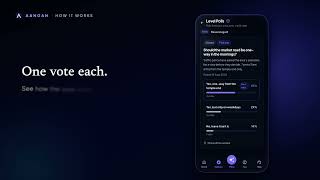
›Can anybody see how I voted?

In a society poll, no. The screen shows the totals for each option and your own choice, and the app never sends anybody else's vote to your phone — not even the committee's.

A GROUP poll is different, and deliberately: the number beside each answer opens a list of who chose it, by name, because the point is usually to agree a time with the people you are meeting. The answers themselves show only the counts and a few initials, so the screen stays about choosing.

›Can I change my vote?

No. A society poll takes one answer per person and tells you it has already been counted if you try again.

It is worth reading the options before you tap.

›Can I pick more than one option?

Only if the poll was set up that way. Some allow a single choice and some allow several; the poll will refuse extra choices if it is a single-choice one.

›Why did I get a reminder about a poll?

The committee can nudge people who have not voted yet. It is limited on purpose — at most twice for one poll, and never twice within a couple of hours.

›Can a poll that repeats every week say which day it is for?

Yes, if the organiser adds it. When setting up a recurring poll, tap Add the game’s date under the title. Each week’s poll then carries the date of the game, like “Volleyball on Sun 18 Oct at 7:30am?”, filled in for you. The date is the day of the game, not the day the poll opens, and it can be written as Sun 18 Oct, 18th Oct or Sunday 18 October. It is off until it is added, so a recurring poll keeps saying what it always did. A find-a-time poll offers several days, so its title has no date; each option carries its own. A poll already posted keeps the title it went out with.

›Can I answer a poll from Home without opening it?

Yes, for a plain two-answer poll. Under Needs your action the poll shows its two answers as buttons; tap one and that is your vote, the same as in the poll. Tap Change on the card straight after if you tapped the wrong one, or change it later in the poll, which a group poll allows until it closes. A poll with more than two answers, or a find-a-time poll, shows a Vote button that opens it. The calendar question that comes with a Yes is asked in the poll, so answer there if you want the game in your calendar.

›Can I vote from WhatsApp?

For a group's poll, often yes. If the message has Yes, I'm in and Can't make it under it, tap one. That is your vote, the same as tapping it in the app, and you get a line back to say it was counted. Tap the other one later to change your mind; a group poll allows that until it closes.

Only the plain yes-or-no question gets the buttons, which is what a weekly poll asks. When you ask a poll, choose Yes or no and the two answers are filled in for you, spelled exactly right, so there is nothing to mistype. A poll worded any other way, or a find-a-time poll with several slots, comes with a button that opens it in the app instead.

If the poll has a time, the line you get back after a yes has a link to add it to your calendar, as a tentative entry until the organiser confirms. Only the number we sent it to can answer, so forwarding the message does not let somebody vote for you. A poll from the committee is answered in the app.

›What is check-in on a group's game?

An organiser can ask the people who said yes to check in when they arrive. Half an hour before the start, a card appears on Home under Happening now, and on the poll, and a notification goes to the people who said yes 15 minutes before. The card shows how long is left to be on time. Tap I am here when you get there; you do not need to open the poll.

The organiser chooses how long after the start still counts as on time: 5, 10, 15 or 30 minutes. Check in on time and you earn coins, once for each game and at most two games a day. After that you can still check in until an hour past the start; it is recorded as late and earns nothing. The server’s clock decides, not your phone’s.

›Who can see whether I checked in?

Everybody in the group sees who is here and when they got there. Only the organisers see who said yes and did not turn up. Someone who did not vote yes cannot check in, and a game that did not ask for check-in has none of this.

›The poll closed before I got to it.

Every poll has a deadline and stops accepting votes at it. The results stay readable afterwards, so you can still see what the society decided.

Maintenance & complaints

Raising something that needs fixing, and following what happens next.

›Who sees an issue I raise?

Your committee and whoever handles maintenance for the society. It is raised in your name — there is no anonymous option — so they can come back to you about it.

›What do the statuses mean?

Open means nobody has picked it up yet. In progress means somebody has. Resolved means they believe it is done, and Closed is the end of it.

Open and In progress are the two that count as still outstanding.

›Can I add more detail after raising it?

Yes — every issue takes comments, so a photo or a correction can go on the same thread rather than becoming a second ticket.

›How urgent should I mark it?

Honestly. Priority is what the committee sorts by, so marking everything urgent is the fastest way to make it mean nothing.

›It has been resolved but the problem is back.

Say so in a comment on the same issue rather than opening a new one — the history of what was tried is the useful part for whoever looks next.

Booking amenities

The clubhouse, the courts, the party hall — and what happens if you cancel.

›How far ahead can I book?

As far as your committee allows for that amenity. Each one has its own horizon, and a year is the furthest Aangan will let them set.

›Why won't it take the time I picked?

Each amenity is booked in blocks — half an hour, an hour, whatever the committee set — and a booking has to be a whole number of them, at least one long.

There may also be a cap on how long one booking can run, and hours outside which it cannot be booked at all.

›I paid and then cancelled. Do I get it back?

In full if you cancel before the amenity's cutoff. Inside the cutoff, the society keeps a percentage — the one it has set for that amenity — and the rest comes back.

If the committee cancels your booking you get everything back, whenever it happens.

›Somebody is using what I booked.

Take it up with the committee rather than the neighbour. Your booking is the record, and the committee can see it.

Reading & the lines you keep

The timer, your shelf, and what happens to a line you copy out of a book.

›Can anybody see what I am reading?

Your shelf and the lines you keep are yours alone — there is no switch to share them and no society feed they appear in.

What can be seen is minutes, and only if you belong to a society that is running a reading challenge: the board shows your name, how long you read day by day, and the book you named when you joined the challenge. Never your shelf, and never the lines you keep.

›Can I share my reading or meditation as a picture?

Yes. In Health › My journey, tap Share this under Reading or Meditation. You see the picture before it goes: your month's number, a calendar of the days you did it, and a message beside it that you can change.

It is drawn from your own numbers rather than screenshotted, so nothing else on your phone comes with it. It never shows a rank or anybody else, and it does not name your society unless you switch that on, for that one picture. Book titles and authors can be on it; your reviews never are. Steps are not offered at all.

›What is “Share today”, and how do I stop it asking?

Right after a sit you finished, or a reading session of ten minutes or more, a card under the result offers a picture of today. It shows once a day for each, as a card and never a pop-up, and a sit you stopped early does not count.

Say Not now three times in a row and it stops asking. Health › My journey has a switch to bring it back; the choice is kept on your phone.

›Can the app remember which page I am on?

Yes, for each book. Before you press Stop there is a box for the page you are on now, and on the book's card there is Update for reading you did away from the timer. Next time, Start reading says where to pick up.

It counts in pages, or in percent if you read on an e-reader, and you can give the page count of your copy to see how far in you are. Leave the box alone and your place stays where it was. Only you see it.

›Do pages count toward the reading challenge?

No — minutes do. A page of a paperback and a page of a textbook are not the same reading, and a page count is too easy to type in. Pages are only for keeping your place, and for the “pp. 142–164” beside a session.

›Why did it not mark my book finished at the last page?

Because that is your call. Notes, an appendix or an index can run past the story, and finishing a book is what puts it on your shelf and in your month. At the last page it asks, and Not yet simply keeps your place.

›Can I keep a line while the timer is running?

Yes. Keep a line on the clock opens the form over it, and the timer keeps going — copying a line out is reading. It works while the timer is paused too. If you give a page further on than the box says, the box moves forward to it. The line goes to Lines you kept with all the others.

›Can I pause the reading timer?

Yes. Pause sits beside Stop on the clock. While it is paused the clock stops, and the time you are away is never counted: not in your minutes, your week, a reading challenge or a Plan my day block. Resume reading carries on from where the clock stopped, and you can pause as often as you like in one sitting.

A paused timer shows on the Read row in Health, with a Resume button. Stop while paused saves only what you had read up to the pause.

›Can I see the reading timer when my screen is off?

Yes, on the phone app. The first time you press Start reading, Aangan asks whether to show the timer on your lock screen. Say yes and, while you read, the time counted so far stays on your lock screen: a notification with a ticking number on Android, and a Live Activity on iPhone, which also shows in the Dynamic Island. The phone keeps the number ticking itself, so it works with the screen off and Aangan closed. Tapping it opens Read.

Paused, the number stops and dims. Stop or discard and it goes. If a timer is left running for two hours it is replaced by “Still reading?”, and Read asks how long you really read. You can switch it off or on under Start reading. It needs notifications allowed for Aangan on Android, and Live Activities on in the iPhone’s settings. It is not on the website.

›I paused the timer and never came back.

Nothing is lost and nothing is guessed. The clock stays stopped. After two hours paused, Read asks what you want: Save the minutes you had read before the pause, Pick up again, or Discard. Unlike a timer left running, it does not ask you to remember how long you read, because the minutes before a pause were already counted.

›I forgot to stop the timer.

After two hours of counted time it stops counting and asks how long you actually read, rather than banking the whole afternoon. Time spent paused does not count towards the two hours.

Whatever you type is capped at what the clock allows, so a forgotten timer cannot become minutes you did not read.

›I started it by mistake. Is there a stray session now?

No. Under a minute is not a session — stop it and nothing is kept, not even an empty row.

›Who sees a line I keep from a book?

Nobody. It is the one part of Aangan with no audience at all: no visibility setting, no feed, and your committee cannot see it either.

Sharing is a separate act, one line at a time, and it hands the text to WhatsApp or wherever you choose.

›Can I search the lines I kept?

Yes — the search box at the top of Lines you kept. It looks in the line, in what you made of it, in where it was, and in the book's title and author, and part of a word is enough: “banan” finds “banana”. With several words, every one has to be there, though not all in the same place — “harari monkey” finds a line about a monkey from a book by Harari.

It searches all of your lines, not just the ones on screen, and only ever yours. It matches letters rather than meaning, so “monkey” will not find “ape”, and it works the same in Kannada, Hindi or any other script you kept a line in.

›Does my own note go with it when I share?

Never. The line is the author's words and the note is your thought, which is why they are two fields rather than one — only the line travels, with the book and the author attached.

The sheet shows you exactly what will be sent before you send it.

›Why can I not share this one?

Because it has no book on it. A line you kept against a book carries the title and author when it travels; a line you kept on its own has nothing to credit it to, and a quote without its author is a claim rather than a quote.

Keep it again from a book on your shelf and it can be shared.

›Why is there a limit on how much of a page I can keep?

Because a few lines with the book and author named is quoting, and a page is not. The limit is that rule, not the app running out of room — which is why it refuses rather than quietly cutting your paragraph in half.

Note the rest in your own words instead; your note has more room than the line does.

›I finished a book, or took it off my shelf. Did the lines go with it?

No. What you kept from a book stays kept — putting the book down is not a reason to lose it.

A line whose book is gone simply has nothing to credit it to any more, so it can no longer be shared.

Why: a question a day

One question a day, what you found out, and sharing it with a friend.

›What is Why?

A small daily habit in Health: ask one why a day, find out the answer, and write it down in your own words. Open Health and tap Ask on the Why row. If nothing comes to mind there is an idea to start from, a new one each day, and you can tap for another.

You can save just the question in the morning and come back with the answer later. The day counts once it has an answer, and days in a row make your streak. Why earns no coins of its own.

›Who can see my whys?

Only you. Your whys are kept in your own notebook on the Why screen, and they follow you if you move to another society. Nobody else sees them — not your neighbours and not the committee — unless you share one, or post it to a Finding Truth challenge you are in.

You can edit or delete any why. A message you have already shared on WhatsApp stays where you sent it.

›How do I share a why with a friend?

After you save one with an answer, tap Share on WhatsApp. It opens your own WhatsApp with the message written for you: the question, what you found out, and where you found it. You choose the friend or group, and can change the words before you send. Aangan sends nothing itself and keeps no record of who you sent it to.

The message is plain text, so it reads the same whether or not your friend has Aangan. It has no link to your notebook.

›Can Mitra find the answer for me?

Mitra can help you look into it. Tap Find out with Mitra and it opens with your question already asked. Then come back to Why and write what you understood, in your own words. Mitra’s reply is never copied into your why. Find out with Mitra is there only if you belong to a society that has Mitra.

›How does Why work with Finding Truth?

Finding Truth is the society’s challenge, with a wall that everyone in it can read. While you are in one, saving today’s why can also post it to that wall: the switch “Also post to Finding Truth” is on, and you can turn it off for a why you want to keep to yourself. Only a why with an answer is posted, one a day, and saving it again updates the post.

A why you write straight on the Finding Truth wall is also kept in your notebook.

Meditate & guided sessions

The silent timer, the guided sessions, and how a sit is counted.

›What is a guided session?

A narrated sit. A calm voice talks you through anything from five to thirty minutes while you sit with your eyes closed: heart-centred, where you rest your attention in the heart, or following the breath. On the Meditate screen, switch from Silent to Guided and pick a session. Guided is the same sit as a silent one, with a voice.

The voice is a synthetic one, reading scripts written for Aangan, and each session says so. It is a practice for attention, not a treatment.

›Where are my streak and my recent sits?

On Your practice. Tap the line under the Meditate title (for example “6 days in a row· 85 min this week”). There you will find your streak, your minutes, your recent sits with the guided ones marked, a way to log a sit you did somewhere else, and, if you belong to a society, how it is doing this week.

The Practice and Community tabs that used to sit at the top of Meditate are gone: the screen is for sitting, and Your practice is for keeping track.

›Does a guided session count like a silent sit?

Yes. It is a timed sit as long as the narration, so it counts for your streak, Health, My journey, a meditation challenge and a Plan my day meditate block, and it earns the same coins: 5 for each of your first three sits of the day, silent or guided together.

Like the silent timer it counts on the clock, once the session's time has passed. End it early and nothing is recorded: there are no half sits.

›Can I pause it?

Yes, with the pause button. The clock keeps running, as it does for any sit, so a session you paused still counts once you have finished it, up to six hours after it was due to end. A call, or another app that takes the sound, pauses it too, and it carries on when you press play.

›Does it need a connection?

Only the first time. A session downloads once, usually 1 to 2 MB, and stays on your phone, so it plays without a connection afterwards. A session you have started is never interrupted by a download.

›Will it play with the phone on silent, or the screen locked?

It plays through the speaker or headphones even if the ring switch is on silent, as the bell does. The screen stays on for the whole session, as it does for the silent timer, and on an iPhone it keeps playing if you lock it. On Android, keep the screen on rather than locking it.

›Can I read along?

Yes. Switch on Show the words before you begin, and each line appears on the screen as it is spoken. The bell at the end can be switched off there too, and your choices are remembered.

Invite friends to Aangan

Telling a friend about Aangan: sharing the link, or having Aangan send it.

›How do I invite a friend to Aangan?

Open You and tap Invite friends. There are two ways. Share on WhatsApp (or Share another way) sends a short note from your own WhatsApp: it has the two-minute video and one link to get the app. Aangan does not see who you send it to. Invite by number or email has Aangan send the same note for you, to the contacts you pick or the number or address you type.

›What does my friend get?

A short note that says you asked, one line on what Aangan is, the two-minute video and a Get the app button. The button opens a page that shows the App Store on an iPhone and Google Play on an Android phone, with a way to try it in a browser. By email it says plainly that you entered their address and how to stop. A phone message comes from Aangan, not from your number.

Your name goes in the note; nothing about your friend is shared with anyone.

›How many can I invite, and how often?

Up to 10 a day and 30 a week from you. Nobody is messaged more than once a week, by anyone, and a friend who says stop is never messaged again. Send again on Your invitations opens after a week, and a note goes to the same person three times at most. Invitations by number can be paused on our side while a message type is being approved; email and sharing work regardless.

›Why did it say it couldn’t send an invitation?

Aangan gives one answer for several reasons and does not say which, so you cannot be used to find out about somebody else: they may already be on Aangan, they may have asked not to be messaged, or somebody else may have asked them this week. Share the link yourself and nothing is refused.

›How do I see who joined?

On Your invitations. It counts the friends you invited by number or email who then signed up with that number or address. Friends you sent the link to yourself are not listed, because Aangan does not see them.

›Can I rate Aangan?

Yes. In the app, under You, tap Rate Aangan: it opens the Aangan page in the App Store or Google Play, where you can leave stars and a few words. It is not in the browser version, which has no store.

Aangan will also, now and then, bring up the store’s own rating card right after something went well, such as a streak of three days of Yoga or Meditate, or a quiz you hosted with three or more people. It never asks in your first week, not more than once in four months, and not more than twice in all, and it stops for good once you have used Rate Aangan. The card is the store’s, not ours, so Aangan cannot see your rating or whether the card appeared, and the store decides how often it shows at all.

Host a quiz

Make a quiz, share a link, and anyone can play from a browser.

›How do I host a quiz?

Open You and tap Host a quiz, then New quiz. Give it a title and add questions: each has four answers, one of them right, and 10 to 60 seconds to answer. Tap Host this quiz and you get a 6-digit code and a link. Share the link in a WhatsApp group or an email, or put the host screen on a projector: the code and a QR code are on it. When people have joined, tap Start the quiz.

A quiz you made is saved, so you can host it again whenever you like.

›Do the players need Aangan?

No. They open the link in any browser, on a phone or a computer, type a name and play. There is no sign-in, no password and nothing to install. You, the host, need an Aangan account.

If the same name is taken in the room, the player is given a number (Priya 2). You can remove anyone from the room, and lock it once the quiz has started so nobody new can join.

›How are points worked out?

A right answer scores up to 1000 points, the faster the more, down to 100 at the last second. A wrong answer or none scores 0. Each player can answer a question once, and the time is the server’s: an answer that arrives after the timer (and a couple of seconds for a slow connection) is not counted. The right answer is never sent to a phone until the time is up or you show it.

›How long does the code work, and how many can play?

The code and link work for four hours after you open the room, or until you close it, and up to 100 players can be in a room. You can have five rooms open at once. Closing the room, or the four hours passing, stops anyone joining.

›What do you keep about the players?

Only the name each one typed, their answers and their score. There is no email, phone number or account. Only you can see the results, and the names, answers and scores are deleted a month after the quiz ends. You can email yourself the results at the end: a spreadsheet with each player’s place, score, how many they got right and how fast, question by question. It goes to your account’s email address and nobody else’s.

›Can I change a quiz while it is running?

Not the quiz in the room: it is copied when you open the room, so changing the original later does not touch a game in progress. Edit the quiz and host it again to use the changes.

Yoga

Timing a practice, the written routines, and what counts.

›How do I do yoga in Aangan?

Open Health and tap Begin on the Yoga row, which sits under Meditate. Pick a style (Gentle, Vinyasa, Sun salutation, Stretch & relax, Pranayama or My own) and a length, then tap Begin. A soft bell rings when the time is up, and you get a notification even if the phone is locked or the bell is switched off.

The screen stays on while you practise so the bell can ring. In Aangan just for me nobody else sees your yoga. If you belong to a society, see who in it can see what, below.

›What are the routines?

Written routines: Gentle morning flow, Sun salutation, Stretch & relax, Pranayama breathing and Evening wind-down. Each is a list of poses with minutes. Tap one to read it, or tap Begin this routine and the timer shows the pose you should be in as the time goes.

For now they are words and timings only, with no pictures or video. This is general wellness guidance, not medical advice: skip any pose that hurts.

›What if I stop early?

End now records the time you have done so far, once it is at least a minute, so a practice cut short still counts for what it was. Stop, don’t record throws it away. A practice you leave running for hours is not recorded at all, because it was a phone put down.

›Where are my streak and my past practices?

On Your practice: tap Log at the top of the Yoga screen, or the card showing today’s minutes. It has your streak, your best streak, this week as seven bars and your recent practices, with how you said you felt.

The ring on the Yoga screen counts towards 20 minutes a day. That is a mark to aim at, not a rule: nothing is lost if you miss it.

›Can I add a practice I did somewhere else?

Yes. On Your practice tap Add a past practice, pick the day (any of the last seven), the minutes and the style. It counts for your streak and your minutes. It does not close a block on My day, because a block closes on a practice the app timed. Yoga earns no coins.

›Who in my society can see my yoga?

Residents of your own society see two things: a count on the Yoga screen (“4 neighbours have practised today”) and, on Your practice, a board of this week’s top five with each person’s name and minutes. A dot beside a name means they practised today. They do not see the style, the routine, how you said you felt or when you practised, and the board never reaches another society.

Guests and members still waiting for approval see neither. In Aangan just for me there is no count and no board.

›Can I plan yoga on My day?

Yes. Yoga is a fourth kind of block beside Meditate, Read and Walk. When its time comes the block says Now, and it closes by itself when a practice you timed in Aangan reaches its minutes. Start the Yoga timer from the block, or from Health.

My day

Plan when to meditate, read and walk, and how each one closes itself.

›How does a block close by itself?

You set a routine once: say, meditate 15 minutes at 6:00, read 30 minutes at 7:00, walk 2,000 steps at 8:30. Each day it becomes a block on My day, and when its time comes the block says Now. If you belong to a society, it also shows up as an action on Home.

A block is done when Aangan sees its goal met, without you ticking anything: a timed sit on the Meditate timer, a timed practice on the Yoga timer, a session on the Read timer, or the steps your phone counted in the block's time.

›What counts towards a block?

Meditate: sits you timed on the Meditate screen, added up. A sit you logged by hand afterwards has no time of day, so it does not close a block.

Yoga: practices you timed on the Yoga screen, added up. One you added afterwards has no time of day, so it does not close a block.

Read: sessions on the Read timer, added up. Minutes you type into a reading challenge's day also have no time of day, so they do not close a block.

Walk: only the steps walked inside the block's window (the time you gave it to reach the number, 30 minutes unless you chose another), read from your phone's step history. Steps walked at another time of day do not count towards it.

A session counts if it started up to half an hour before the block, through the end of the half hour after it.

›When does a block turn overdue?

Half an hour after it was meant to end. A 7:00 to 7:30 read is still on at 8:00 and overdue after it. Finishing inside that half hour is on time.

An overdue block stays on My day until it is done, skipped, or the day ends (and on a society's Home, if you belong to one). Doing it late still closes it, marked as done late. Nothing is sent to you when a block goes overdue; only the reminder at its start, if you asked for one.

›Why does my walk need the app open?

Only your phone knows how many steps you took and when. Aangan reads the block's window from it when you open the app (and at most every fifteen minutes after that), so a walk can close a little after it happened.

It is judged by when you walked, not when the app heard: a walk at 8:30 that reaches your phone's number at 10:00 is still on time. The Update steps button on the block reads it straight away. Allow steps on the Steps screen first.

›What does “I did it” do?

For a sit or a read you did away from the timers, it closes the block in your own word, and the block says so. It is not offered for a walk: steps come from your phone, not from a tap.

It is only available once the block has started.

›Can I skip a day, or change a time just for today?

Yes. Skip today and Move today change that day's block and nothing else; the routine and tomorrow are untouched.

Changing the routine itself starts from tomorrow: a block already showing today keeps the time it was made with. A block you add after its time has passed today starts tomorrow instead of appearing as overdue.

›Who can see my plan? Does it earn coins?

Only you. Nobody else can see your routine or how the day went, and there is no leaderboard.

It earns no coins on its own. Your timed sits, reading and steps count wherever they already do, such as a challenge you have joined. Your plan follows you if you belong to more than one society.

Aangan just for you

Using Aangan without a society: what you get, what stays private, and how to join one later.

›How do I sign in with my phone number?

On the first screen tap Continue, type your phone number (or your email), and tap Continue again. A phone number gets a six-digit code in a WhatsApp message from Aangan, or in a text message when Aangan sends it that way; an email gets the code by email. Type the code and you are in. Google and Apple are the two small buttons below. A code works for 10 minutes and is only good once, and Aangan will not let a wrong guess go on for ever.

You do not need an email to use Aangan with a phone number, and you do not need a number to use it with an email. A phone number comes with no name, so the first time Aangan asks what to call you (see the next answers); someone who signs in with Google has their name already.

›Is there a tour? Can I see it again?

Yes. The first time you open Aangan just for me, a short tour offers to walk you round Home: a few steps, about a minute, then a card with three things to start with. Not now ends it for good, and so does skipping or finishing: it is not shown again, on this phone or any other. You can take it again whenever you like, from Help (Take the tour) or You (Take the tour again), and Help also has What Aangan can do, seven short cards with one line for each part of Aangan. Taking it again changes nothing of yours. If you came by a friend's invitation you see the invitation first, then a quick look of three steps.

›What is News in short, and where does it come from?

A small section on Home with the day's top stories from India: a headline, a line or two of summary written by Aangan in its own words, and a link to the story at the newspaper's own website. Tap a story, then Read at the source to get the full article. It is made once a day in the early morning from the public headlines of a few well-known Indian newspapers; Aangan does not copy their articles or pictures. If today's has not arrived yet you see yesterday's, with a label saying so. Nothing about what you read is recorded against you.

›Can I hide News from Home?

Yes. Tap Edit beside Your everyday, or Make Home yours, and switch News in short off. You can switch it on again there. The News screen stays: find News in short in All features or in the search at the top of Home, and add it to Home as a place if you like.

›Why did a message appear when I opened Aangan?

Aangan sometimes shows one short message when you open the app: most often that a newer version is available, with a button that takes you to the App Store or Google Play. You can close it with Not now. A message you have closed is not shown again unless we change it. Now and then there is an update the old version can no longer work without; that one has no Not now, only the button.

›Why does Aangan ask what to call me?

A phone number comes with no name, and an email code sometimes does not either. So the first time, right after you accept Aangan's terms, Aangan asks for the name your friends should see in circles, Split and games. A first name is fine; it can be up to 60 characters, and it cannot be an email address or a number. There is no skip, because a blank name is what your friends would see instead. If you picked the wrong account, Not you? Sign out is on the same screen. You can change the name any time: open You, then tap your name. Someone who chose their community is not asked here, and a society's own display name is separate.

›Can I add an email or a phone number later?

Yes. Open You, then Account, and look under How you sign in. Tap Phone number or Email, and Aangan sends a code to what you typed; it is added to your account only when you give the code back. Once both are there, either one signs you in to the same profile with everything in it, and friends can invite you by either. You can take one away again, but never the only way you have to sign in: that one is greyed out, with the reason.

If a society already holds a number for you, Account suggests it (partly hidden), and Home offers it once. Nothing is added until you prove it with a code, so a mistyped number in a society's list can never become your way in.

If the number is already on another Aangan account, Aangan tells you after the code is right, not before. If that other account is empty (it was only ever made by signing in with that number, with no society and nothing recorded in it), you can move the number onto your profile; the empty account is removed for good, and it held nothing. If that account has things in it, nothing is changed, and Ask Help opens a ticket so a person can check the number is yours: two accounts that both hold data are not joined yet.

›What does “Use Aangan just for me” give me?

A Home with a search and the places you use: Games, Health (your steps, Meditate with its guided sessions, Yoga, Read with the lines you keep and one Why a day), Split an expense, Money, Resolutions, Friends, My day, and All features, which lists everything Aangan has for you. Steps, Meditate, Yoga, Read, Why, To-do, Invite friends, Host a quiz, your coins and the rest can be added with Edit. The bell shows what Aangan told you today, and the red icon next to it has the emergency numbers and what to do. Help has short videos, the answers to what people ask, and a way to raise a ticket with us, and your account is under You at the bottom of the screen.

There are no neighbours, groups or society news, because those belong to a society.

›Can I change what is on Home?

Yes. Tap Edit beside Your everyday. You can choose up to eight places, in your own order with the arrows, and add Steps, Meditate, Read, Why, To-do, Emergency or anything else in Aangan for you, or take one off. If you try to add a ninth, Aangan asks which one to swap out.

All features (the tile on Home, or the link beside Edit when you have taken the tile off) lists every place, by group, with a button to put it on Home or take it off. Nothing you take off is lost: the search at the top of Home finds every place and every answer, and Put Home back returns it to how Aangan arranged it. If you have arranged your Home yourself before, it stays exactly as you left it; only Put Home back brings in the newest arrangement. Your arrangement is saved to your account, so it is the same on every phone you sign in on. A society's own Home is separate and is not changed by it.

›What are Today and Needs your action on Home?

Today sits under the search: Steps, Meditate and Read, each a small ring with today’s figure. The ring fills as the day goes, turns green with a tick when you reach your goal, and stays on Home after that. Tap a card to open it. Health, beside the heading, has the full Today card. Steps comes from your phone, so on a computer it says On your phone. Meditate and Read show a ring only if you have a goal for them, from a Resolution or a block on My day; with none they show today’s minutes and Set a goal, and Aangan never makes one up for you.

Needs your action shows up only when somebody is waiting on you: a payment a friend says they made to you, a friend asking to borrow your thing, a game invitation or your move, a task due today or overdue, an invitation to a circle or a Split group, or money you owe in a Split group. It shows the two that matter most, with a button for what to do, and See all when there are more. Done on a task is the only thing answered right there, and it can be undone for a moment; everything else opens the screen where you settle it. When nothing is waiting it is not there at all.

In Edit, Make Home yours has a switch for Today and for each of its three habits. Needs your action has no switch, so a friend never waits on you unseen.

›What are the slides under Your everyday?

Highlights: a few slides that move across by themselves, about Aangan, what is new, and sometimes something from a partner, which always says Sponsored. Touch them to stop them, or tap the pause button beside the dots. They are part of Aangan, so they cannot be turned off; the only one you can hide is the invitation to support Aangan, which comes back after a month.

›Is Aangan just for me free? Can I support it?

Yes, it is free for everyone for now. If you like it, you can give a small amount, from ₹50, with Support Aangan: it opens your UPI app, GPay, PhonePe or Paytm, and the money goes straight to the company that makes Aangan. Aangan never sees your bank details or PIN. It is never needed and it unlocks nothing, and we can't see whether a payment arrived, so after you pay it asks you, only so it can say thank you.

If Aangan ever stops being free for people with no society, we will say so here first. Emergency, Help, your account, and downloading or deleting your data would stay free, and so would everything for anybody in an approved society.

›Something is not working. How do I tell you?

Open Help at the bottom of the screen, tap New ticket, say what went wrong in a few words and, if it helps, add a screenshot. We reply in the ticket, and you are told when we do. Your tickets stay under My tickets in Help, so you can see where each one stands and add to it. Only you and our support team can see a ticket.

›Can I use Aangan just for me on a computer?

Yes. Open app.aanganapp.in/me in any browser and sign in with the same Google account, email code or phone number. You get the same Home, Health, Games, Friends, Split, Lend and borrow, To-do and My day as on your phone, and what you record is the same on both. On a wide window the places sit in a list on the left, and Friends and Split show the list beside the one you opened.

A computer cannot count steps, so Steps shows what your phone last sent. A society's own screens (news, groups, dues) are in the app, not here.

In Account, Notifications, you can turn on notifications for that browser, so reminders and what your friends do reach you with the tab closed. Emergency numbers and plans open even with no signal once you have visited the page. On a computer you can also install it from the browser's menu.

›Who can see what I record?

Only you. Your steps, sits, reading, lines and whys are not shown to anybody, and nothing here is shared unless you share it yourself: a picture of your month, a why on WhatsApp, a line from a book. What you share goes where you send it, and Aangan keeps no record of who you sent it to.

›Do I earn coins, and what are they for?

Yes. A sit timed in the app earns 5 coins, for each of your first three sits of the day. They are kept on your account and you can see them under Coins in your account.

Without a society there is nothing to use them on yet, so for now they are a balance. They are there for you if you join one.

›Why are there no challenges?

Challenges are run by a society, so they appear when you belong to one. The habits in Health work without one: your own step goal, your sits, your reading and your whys.

›How do I join a society later?

Tap You at the bottom of the screen, then Find my society. Search for your building, say which home is yours and send the request. Your committee decides.

While it waits, Aangan stays just for you and Home shows that the request is open. When the committee says yes, the app opens your society.

›I live in a society. Can I use Aangan just for me too?

Yes. Open You, then Aangan just for me, and the app shows only your own Home, games and health, with none of your society's news, groups or boards. Open All features and tap My society, or choose Switch to my society under your picture, to go back.

If you belong to a society, Aangan opens on it. It stays on just-for-me only if that is the one you used last on this phone.

›What happens to my record if I join a society?

It comes with you, unchanged. Your steps, sits, reading, lines and whys belong to you and not to a society, so joining one, or leaving it, never moves or removes them.

›How do I delete my account?

Tap You at the bottom of the screen, then Delete my account. You are asked twice. It erases your account and what you recorded in it: steps, sits, reading, lines you kept, whys and your plans. It can't be undone.

Games & daily puzzles

The daily puzzles: when they reset, what counts, and what wins pay.

›What are the daily puzzles?

Eight puzzles that change every day: Wordle, Sudoku, Anagram, Crossword, Memory, FreeCell, Daily Chess and Connections. Open Games and Today's puzzles shows which you have finished, which you left half done, and which you have not touched. 2048 is there too and is not daily: play it whenever you like.

›When do they change?

At midnight, India time. Everybody gets the same puzzle on the same day, so a word you find in Wordle today is the word your friend found today. A puzzle you did not finish is gone when the day turns; there is no catching up on yesterday's.

›What is the puzzle streak?

The number of days in a row on which you finished at least one daily puzzle (for Anagram, scored in it). If you have not played yet today it still counts up to yesterday, so a long streak does not read zero every morning. Miss a whole day and it starts again.

›Do I earn coins for solving a puzzle?

FreeCell and Daily Chess pay 5 coins on the day you solve them, once per puzzle. The other puzzles pay nothing. The coins are yours and show up under Coins.

›Can I leave and come back to a puzzle?

Yes, on the same day, for most of them. Wordle, Sudoku, Anagram, Crossword, FreeCell, Daily Chess and Connections keep what you have done so far, and the button says Continue instead of Play. Memory keeps only a finished board, so leaving one half way starts it again.

›How do I see where I stand across everyone on Aangan?

Finish a puzzle and a card under it says where you stand today among everyone on Aangan who finished the same puzzle, such as “2nd of 10”. The Games screen lists your place for every puzzle you finished today, and in a society the game’s Leaderboard shows it as “Across Aangan today” above your community’s list. It shows only your place and how many finished, never anybody’s name or score. It starts again at midnight, India time.

You are not in the count until you finish: the place is not shown, and the number is not offered, before you have played. If you are the first to finish it says so instead of “1st of 1”. People with the same result share a place, so two people can both be 2nd, and the next is 4th. A puzzle you leave half done does not count, and neither does a lost Connections. Two differ: running out of guesses in Wordle counts as finished and ranks last, and Anagram counts from your first word and moves as you find more.

›Can my friends and I have a leaderboard?

Yes. In any game, open Leaderboard and pick one of your circles instead of Everyone. You see the people in that circle, who is ahead, and what each of them made, for Today, This week, This month or All-time. A circle’s page has a Board tab too, where you can pick any game. Friends who have not played yet today are listed apart, so a gap is not a score.

Only people in the circle can see it. Leave the circle and you are off its board, and you cannot see it any more. A circle you made inside a society’s app is not part of Aangan just for me and has no board here.

›Who is counted in “2nd of 10”?

Everyone on Aangan who finished the same puzzle today, whether they use it just for themselves or belong to a society (yours or another), since the puzzle is the same for all of them. Sudoku is counted by level, so an easy and a hard Sudoku are two separate standings. 2048 is not a puzzle of the day, so its standing is each person’s best run today. Accounts that have been deleted are left out.

Split with friends

Share costs with friends, even ones who are not on Aangan yet, and settle up.

›What is Split with friends?

A way to share costs with people you choose: a trip, a flat, a night out. Make a group, add what each person paid, and Aangan keeps the count of who owes whom. It is separate from your society's Split Expenses, which stays as it is. Split with friends belongs to the people in a group, so it stays with you if you join or leave a society.

›Can I add a friend who is not on Aangan?

Yes. Type their email address or phone number and they are in the group straight away, so you can add expenses with them. An address gets one email from Aangan and a number gets one message from Aangan (a WhatsApp message or a text message), with the group's name and who is in it but never an amount. When they sign in with that address or number, the expenses that include them are waiting. You can also add someone by name only, for a person who will never use the app: you keep their share up to date yourself.

›How do bills get split?

Equally, by exact amounts, by percentages, or by shares (a couple counts as two). The amounts always add up to the bill exactly. More than one person can have paid one bill, each with their own amount. A group has one currency; a bill paid abroad is entered in that currency with the exchange rate your group agreed, and everyone's balance stays in the group's currency.

›Does Aangan move the money?

No. It keeps the count. When you settle up, for a rupee group you can open your own UPI app with the amount filled in, or pay in cash, and then mark it paid. The person who was paid is asked to confirm; once they do, your balance changes. If they say it did not arrive, it does not count. If the person who was paid records it themselves, it counts at once.

›What is a UPI ID for, and who sees it?

It is optional. Add yours under Account and friends who owe you in a rupee group can pay you in one tap. Only somebody who owes you money in a shared group is ever offered it, and it is partly hidden in lists. You can remove it any time.

›Can I change or delete an expense?

Anyone in the group can. Every change and delete is kept in the group's activity, with who did it and what changed, so nobody's balance moves without a record. A group's creator can close it, which stops new expenses but still lets you record payments.

›How do reminders work?

Tap Remind next to somebody who owes you. The group's own sums decide whether they owe you and how much, so a reminder can never name an amount nobody owes. Somebody is reminded once a day however many people chase them. A friend who is in by email address and has not signed in gets an email that says who is waiting and where, never how much. A friend who is in by phone number is not messaged again: they see what is owed when they join, or you can tell them yourself.

›Can I leave a group?

Once you owe nothing and are owed nothing in it. You can still look at it afterwards. If you erase your account, you stay in other people's groups as Former member, so what they owe each other still adds up.

SOS & emergency plans

What raising an SOS does, who is alerted, and what to do until help arrives.

›What happens when I raise an SOS?

Every SOS warrior in your society gets a loud alarm that rings even on silent, and a WhatsApp as well if they have given their number and agreed to it. Only warriors are alerted: other residents are not.

Pressing SOS again while one is open updates the same alert instead of sending a second. Any warrior, or you, can mark it resolved.

›Who are the SOS warriors?

Members your committee has marked as emergency responders. They are listed under SOS, and only they can say "I'm responding".

If your society has none yet, an SOS alerts nobody. The SOS screen says so and puts the call buttons first, so call the number you need.

›Should I call 108 or raise an SOS?

Both. A neighbour is not an ambulance. The Call now row at the top of SOS dials ambulance, fire and police in one tap (your phone asks before it dials; Aangan never calls by itself). Raising an SOS brings people who can help in the minutes before the service arrives.

›Which numbers does Call now dial?

Your society's own contact for the service when it has one: in Contacts, an admin picks what SOS dials a contact as (ambulance, fire, police, gate and so on). With none, it dials the national numbers: 108 for an ambulance, 101 for fire, 112 for police. So there is always a number, even if your society never filled in its contacts.

›What is the plan I see after raising one?

Each type of emergency has a plan: what to do until help arrives. Your committee can write its own for any type. Where it has not, Aangan shows its standard plan for Fire, Medical, Gas leak, Security and General. These are first aid and safety for the minutes before help comes, and they do not replace a doctor or the emergency services.

Warriors also see their own steps for responding. The person who raised the alert is told to call first, then to wait for responders.

›I lost money to a scam. Is that an SOS?

No. Money lost to a scam needs 1930, not neighbours, and nobody in your society is told. "Lost money to a scam?" on the SOS screen is a private step-by-step with the deadlines that matter: call 1930 within the hour, finish the complaint on cybercrime.gov.in within 24 hours, tell your bank in writing within 3 working days, and report the number on Chakshu within 30 days. Aangan keeps when it happened and which steps you have done, never the amount or the bank.

Emergency numbers & plans

Ambulance, fire and police, and what to do until help comes. Works without a signal.

›What is Emergency?

The numbers and plans for a bad moment: ambulance 108, fire 101, police 112, the cyber fraud helpline 1930 and the gas emergency number 1906, with what to do until help arrives for a medical emergency, a fire, a scam, a gas leak or an intruder.

There is no SOS button here. Without a society there are no neighbours to alert, so the screen tells you to call first.

›Does it work without a signal?

The numbers and every plan are inside the app, so they open without a connection. Making the call needs phone service, as any call does. Your phone asks before it dials; Aangan never calls by itself.

›What are the people I would call?

Up to five people you add yourself, such as family or your doctor, one tap to call from Emergency. They are kept on this phone only. Aangan does not send them anywhere, and nobody is told you added them.

›I lost money to a scam. What do I do?

Call 1930 first, within the hour if you can. Open "Lost money to a scam" under Emergency for the steps, and tap "It just happened" to start the clock. You can tick each step off, with how long is left for each: the complaint on cybercrime.gov.in within 24 hours, your bank in writing within 3 working days, the number on Chakshu within 30 days.

The ticks and times stay on this phone and there are no reminders yet. Nothing about the money is sent anywhere.

Games with friends

Play Tic-Tac-Toe, Chess, Ludo, Snakes & Ladders or Memory Match against bots or friends, and host a Tambola or Quiz Night.

›What can I play with a friend?

Tic-Tac-Toe and Chess against the bot or a friend, Ludo (up to four) and Snakes & Ladders (up to six) at a table, and Memory Match with two to four friends, in Aangan just for me. Open Games, pick one and choose who to play. You can also host a Tambola or Quiz Night for your friends. Games with your neighbours, and Fantasy Cricket, stay with your society.

›How do I ask a friend?

Pick a friend from the list (people who joined from your invitations, and people from your groups), or type an email address or a phone number. A friend on Aangan is asked first and the game starts when they say yes. Somebody with no account gets one email, or one message (WhatsApp or a text) for a number, with the game waiting: they install Aangan, sign in with that address or number, and it opens.

›Why can't I ask a neighbour from my society?

Games with friends never reads your society, so your neighbours are not offered in the list. You can still ask a neighbour by typing their email address or phone number, like any other friend.

›What if my friend never answers?

Nothing bad happens. An ask lapses by itself after a week. You can withdraw it sooner. A game that is going but that nobody has moved in for a month is ended.

›How does the bot play?

At three levels. Easy plays quickly and misses things. Medium takes a win and blocks a loss. Hard thinks ahead. The bot plays from the first move and replies as soon as you move, so you can leave and come back to it. A bot does not take draw offers.

›How do Ludo and Snakes & Ladders work with friends?

You build a table: add bots (Easy, Medium or Hard), friends from your list, or people by email or phone number, up to four at Ludo and six at Snakes & Ladders. Bots are ready at once. The game starts when everybody you asked has said yes. If one says no, the game is called off for all. The dice are rolled for you by Aangan, so nobody can cheat. If someone leaves, the game ends for everybody, and nobody is given the win.

›How does Memory Match work with friends?

Memory Match is for two to four friends, with no bot. You ask them, and it starts when everybody has said yes. On your turn you turn over two cards: a pair scores a point and you go again, a miss passes the turn, and whoever finds the most pairs wins (a tie is a tie). You are shown the cards a friend turned over, even if you were not looking. If someone leaves, the game ends for everybody.

›How do I host a Tambola or a Quiz Night?

Open Games, choose Host Tambola or Host Quiz Night, and open the room. You get a code to share. Friends choose Join with a code and type it; up to 12 people can be in a night. Only the host calls numbers or starts a question. In Tambola everybody gets their own ticket, and each prize goes to the first valid claim, once. A Quiz Night uses one of five Aangan question packs (General knowledge, India, Cricket, Films and music, Food) of ten questions, 20 seconds each: faster right answers score more, and the right answer is shown only when you show the results. The room closes when you end it, or after 6 hours with nothing happening.

›Who can join my game night?

Anybody who has the code, so share it only with the people you want. They do not need to be on your friends list. You can see who is in the room, and ending the night closes it for everyone.

›Will my friend be notified?

Yes: when you ask them, when it is their move, and when the game ends. If they have not come back, they are reminded at most once a day, and not at all while they have the game open.

Lend & borrow with friends

Lend your things to friends in your groups, and borrow theirs. Free, between people who know each other.

›What is Lend & borrow?

A way to lend the things you own (a tent, a drill, a book) to friends in your groups, and to borrow theirs. It is free: no coins and no charges. It is separate from your society's Marketplace, which stays as it is, and nothing from a society ever shows here.

›Who can see a thing I share?

Only the friends you chose. For each thing you pick one group, several groups, or everyone in your groups. Before you share, Aangan tells you how many friends that is, like "Seen by 11 friends". It is worked out each time from who is in the groups today, so a friend who joins a group later sees what you shared there, and a friend who leaves stops seeing it. Someone in two of your groups sees a thing once.

›Who counts as a friend in a group?

People who joined the group by your invitation link, and you. Someone a society added from its directory does not count, so a group made for neighbours never becomes a lending audience. A thing shows your name only, never a flat or a society.

›How do I borrow something?

Open Lend & borrow, pick a thing, choose the dates you want on the calendar and ask. Days when every copy is already taken are crossed out. The owner is told and says yes or not this time. If nobody answers, the ask lapses by itself after 3 days and the dates are free again.

›Who marks it handed over and returned?

Either of you. At a trailhead you are both standing there, so whoever taps first marks it and the other person is told. Nothing is charged for a late return, but the owner is reminded, and so are you: the evening before it is due, and then up to three times a day apart if it is late.

›Who sees my phone number?

Only the person you lend to, and only after you say yes, and only if you chose to add one. Friends who just browse never see it, and never see who has a thing: they see "Out until 14 Oct" and nothing more.

›Can I lend to someone who is not on Aangan?

Yes. Choose "Lend to someone outside the app" on your thing, write down who has it and until when, and it shows with your other loans. Those days are marked taken so friends cannot ask for them. You mark it back yourself. Aangan sends nothing to that person.

›What happens when someone leaves a group or I change who sees a thing?

Open asks from friends who can no longer see the thing are cancelled and the dates freed. A loan that is already out stays, so you can still remind them and take it back. You cannot delete a thing that is out: take it back first, or archive it, which hides it and keeps the loan.

›Can I block or report someone?

Yes, from a thing or a person. Blocking hides your things from each other both ways and cancels open asks. A loan already out stays, with reminders. Reports go to the Aangan team, who read them.

›What if someone erases their account?

Their open asks are cancelled. A loan that was out is kept and shows them as Former friend, so you can still tell who has your tent.

To-do

A private list of things to do, with days, times and reminders.

›What is To-do, and how is it different from My day?

A private list of things you need to do: call the plumber, pay a bill, buy a card. You add a task, give it a day and a time if you like, and tick it when it is done. My day is different: it is a routine of meditating, reading and walking at set times, and each block closes by itself when Aangan sees it done. A task closes only when you tick it.

›Who can see my tasks?

Only you. They are kept on your account, so they are the same on every phone you sign in on, they work without a society, and they are erased with your account. They earn no coins.

›How do I add a task?

Open To-do and write it in the box at the top. Choose Today, Tomorrow or Pick a day, or leave it with no date and it waits under Someday. Tap a task any time to add notes, a time, a reminder, a star or a repeat.

›How do reminders work?

Give a task a time and switch Remind me on, and you get one notification at that time. Nothing nags: a task you have not done stays on your list as overdue, with a button to move it to today, and is not announced again.

›What happens when I tick a task that repeats?

Today's is finished and the task comes back on the next day it falls: tomorrow for a daily task, the next weekday for Weekdays, the same day next week for a weekly one. If you were late, it comes back on the next day after today rather than piling up.

›Where do my finished tasks go?

Under Done, newest first, for 30 days. Tap one to bring it back. After 30 days they are cleared.

›Can I see my tasks on Home?

Yes. To-do is a place you can put on Home: open All features (or tap Edit beside Your everyday and choose Add something) and add it, and its icon shows how many tasks are left. It is also in the Today card on the Health screen.

Scan to PDF

Photograph a page and turn it into a clean PDF, kept on your phone.

›What is Scan to PDF?

A way to turn photos of paper into a PDF you can share: a bill, a form, a copy of an ID. Take a photo of each page (or pick photos from your gallery), drag the four corners onto the edges of the page so it is flattened and straightened, choose Original, Document or Grey, then name it and save.

›Does Aangan keep or see my scans?

No. The page is flattened, the PDF is built and it is saved on your phone, all on the phone. Nothing is uploaded, there is nothing to sign up for, and Aangan cannot see it. A scan leaves the phone only when you tap Share and choose where it goes. Because it is only on your phone, deleting a scan, deleting the app, or losing the phone removes it for good.

›What do Original, Document and Grey do?

Original keeps the photo as taken. Document turns the paper white and the writing dark, even if a shadow falls across the page, like a scanner would. Grey removes the colour. Choose the one you want for each page, and use Preview to see it before you add the page.

›How many pages can one PDF have, and how big will it be?

Up to 30 pages. A typical page adds a few hundred kilobytes (up to about a megabyte for a colour photo of a page), and the screen shows the approximate size before you save. A4 puts each page on a standard sheet with a small margin; Fit to photo makes each page the shape of the scan.

›Can I change the order of the pages, or take one again?

Yes. On the Pages screen, move a page earlier or later, delete one, or tap Add page to photograph another. To redo a page, delete it and add it again.

›The camera does not open. What do I do?

Allow the camera for Aangan in your phone’s settings, then try again. You can also choose Use photos from your gallery and pick pictures you have already taken.

Money

Write down what you spend, set a budget, and see the month at a glance.

›What is Money, and who can see it?

A private record of what you spend, in rupees. You add an expense, Aangan adds up the month, and you can set a budget to see how much is left. Only you see it. It is kept on your account, so it is the same on every phone you sign in on and on the website, it works without a society, and it is erased with your account. It is not connected to your society's accounts or to Split with friends.

›How do I add an expense?

Tap Add expense, type the amount on the keypad, pick a category, and tap Save. Today and UPI are chosen for you; change the day (never a future one), or switch between UPI, cash and card, or add a note if you want one. After saving, the screen clears so you can add the next straight away.

›Does Aangan read my bank or UPI?

No. Money only knows what you write down. It does not read your messages, your bank or your UPI apps, and it does not scan receipts.

›How do budgets and alerts work?

Open the sliders icon at the top of Money. You can set one budget for the month and one for each category. Money shows how much is left and whether you are ahead of an even pace for the days gone. You get one notification when a budget reaches 80% and one when it is passed, each once a month, and you can switch them off in Budgets. If you change a budget, it can warn you again.

›What are repeating payments?

Rent, a subscription, a bill. Set one up once, with the day of the month, and Aangan adds it to your spending on that day, the next time you open Money. If you were away, it catches up on what fell due. A day that a short month does not have uses the month's last day. Pausing one stops it; changing one only affects what is added from then on, and an expense it already added is kept. If you delete one of those expenses, it does not come back.

›Can I see how this month compares?

Yes. Tap See the month. It sets this month so far against the same days of last month, shows the last six months, each category against last month, and the three biggest expenses. An increase is shown plainly, not as an alarm.

›Can I get my spending out as a spreadsheet?

Yes. On the month's comparison screen, tap the share icon. In the app you can send it anywhere you like; on the website it downloads as a spreadsheet file. It has one row per expense, for that month.

Resolutions

A reading, meditation or steps goal for the year, the quarter or the month, with a nudge on Sunday.

›What are Resolutions, and who can see them?

A goal for how much you will read, meditate or walk, for a year, a quarter or a month: for example 100 hours of reading, or 36 lakh steps, in 2027. Aangan splits it into months and weeks and shows where the plan says you should be today. Only you see them. They stay on your account, work without a society, and go when you delete your account. They are not the society's Commitments, which stake coins, and there are no coins or stakes here.

›How does Aangan know how much I have done?

You never type it in. Reading counts the minutes you log with the Read timer or add by hand in Read, meditation counts the sits you finish in Meditate, and steps adds up the daily step counts that already show in Steps. A sit you stop before it ends does not count. Anything you already logged in the period counts from the day the period starts, even before you made the resolution, and a minute or a step count logged late still counts. Steps come from your phone, so a day your phone has not sent a count adds nothing; open Aangan on your phone and it catches up. Aangan does not count steps in a browser.

›What does it mean to be behind, ahead or on track?

Aangan works out where you should be by the end of yesterday if you had read, meditated or walked at an even pace, so today's minutes or steps are a bonus and not yet a debt. You are on track within about a tenth of that, ahead when you are clearly past it and behind when you are clearly short of it. A gap of a few minutes, or about 1,500 steps, is never called behind.

›What is a step up?

You can ask a little more of each later month: 5, 10 or 20% more than the month before. The months and weeks still add up to your goal, so the early months are lighter and the later ones heavier. A single month has no step up, only weeks. You can also raise a goal later; the extra is spread over the months to come, so raising it never makes you behind the moment you do. A goal only goes up. To start smaller, stop it and make a new one.

›When do I get a notification?

On Sunday evening, once for each resolution, a few days after it starts. If you are behind it says by how much and about how many minutes (or steps) a day next week gets you back on pace. If you are on track or ahead it says so. Nothing is sent once you have finished, or after the period ends. You can switch these off in your notification settings.

›What happens when the period ends?

It stays on your list for 90 days with how it ended, Met or Ended short, and a button to step up for the next year, quarter or month, a notch above this one. Nothing is lost or charged either way. If you stop a resolution, your reading, meditation and step counts stay in Aangan and you can start the same one again.

›How do I set a steps goal?

Choose Steps when you make a resolution, pick a year, a quarter or a month, and enter the total number of steps you want to walk in it, from 1,000 up to what that period could hold at 60,000 steps a day (about 2 crore for a year). If you have a daily step goal, Aangan offers that goal times the days in the period as a starting number, and you can change it; with no daily goal it suggests nothing, and you type your own. It works like the others: a plan by month and week, a step up if you want one, raising it later (never lowering it), and a Sunday word on how the week went. Your steps come from your phone, so on a computer the goal shows what your phone has already sent.

Friends & circles

Circles of friends, how to invite them from your contacts or by email or phone number, and what they see.

›What is a circle?

A small private group of people you choose, who need not live near you. A circle has its own chat and polls, and it is yours: it does not belong to a society, so it stays with you if you join or leave one. A circle holds up to 12 people.

›How do I invite a friend?

Open Friends on Home, tap Start a circle, name it, and tap Add friends. In the app you can pick people from your contacts (Aangan asks permission first, reads your contacts only on your phone, and sends nothing but the people you choose), or type an email address or phone number instead. If a contact has both a phone number and an email, the phone is used unless you switch it on that row. You can add a short note in your own words to an email invitation. Each friend with an email gets one email from Aangan with your name, the circle, your note, and links to get the app. Each friend with a phone number gets one message from Aangan, on WhatsApp or as a text, with your name, the circle and a link to join (a number gets no note). You can invite about 10 people a day.

To add people to a circle you already have, open it and tap Add friends. Nothing is sent until you tap Invite. Only the person who started a circle can invite to it.

›What does my friend get, and what do they do?

An email, or a message for a phone number (WhatsApp, or a text with a link), that says you invited them, with a button or link to open the invite (an email also has the iPhone and Android download buttons). Once the app is installed they sign in with the same email address or phone number and the invitation is waiting for them, so it works even if the link was lost on the way through the store. One tap on Join and they are in. An invitation stays open for 14 days.

›How will I know they joined?

You get a notification when a friend joins: their first name and the circle. Friends on Home carries a badge while an invitation is waiting for you, and a newly joined member has a New tag in the circle for a day. If someone says no, or never answers, you are not told; they just stay under Waiting to join, which only you can see.

›My friend did not get the email.

Check the address or number in Waiting to join. For an email, ask them to look in spam; for a number, ask them to check WhatsApp (including message requests) or their text messages. You can tap Send again once a day, up to three sends in all; each send gives a new link and the old one stops working. If a circle says it cannot send to an address, that address has asked not to receive invitations from Aangan, and nobody can invite it.

›Can somebody stop getting these emails?

Yes. Every email invitation ends with Stop invites to this address, every WhatsApp invitation has a Stop invites button (replying STOP works too), and every text invitation carries a link that stops them. One tap, no sign-in, and after that nobody can send that address or number an invitation from Aangan. The link in the email changes nothing until they press the button on the page it opens.

›What can my friends see about me?

Your name, and what you say in the circle's chat. If you belong to a society, a friend sees its name, and a friend who lives in the same society also sees your flat. Nothing else about you is shared with the circle, and your steps, reading, whys and sits stay private.

›How do I leave a circle?

Open the circle and tap Leave circle at the bottom. You stop seeing it and its chat, and can be invited back. A circle's only owner has to make somebody else an owner first.

Neighbours & privacy

Who can find you, who can read your profile, and what people in other societies see.

›Can my neighbours find me in the app?

Yes, and that is the point of it: people in your own society can always find you, read your profile and message you. None of the privacy choices below apply inside your own community.

›What about people in other societies?

Only what you have agreed to, and it is three separate choices rather than one switch: whether you can be found by name, whether your profile can be read, and whether you can be messaged.

All three start off. Until you turn them on, somebody in another society cannot look you up.

›Why does a leaderboard say “A resident” instead of a name?

That is somebody from another society who has not agreed to be named outside their own. Their row stays — dropping it would make every rank below it wrong — but the name does not, and you cannot tap through to them.

The society is shown; a stranger's flat never is.

›I'm in two societies. Does my profile follow me?

Your identity does — your name, your habits, your coins and your scores are yours. What you say about yourself is per society, so you can be one thing to your building and another to the one you moved from.

Groups across your area

An interest group whose boundary is the neighbourhood rather than your gate.

›What is a group “across my area”?

A group for people in several nearby societies at once, rather than only yours — cricket, running, a book club, anything there are too few of you inside one gate to do.

It sits in your Groups list beside your society's own, with a different icon and the words “Across your area”, and it works the same way once you are in it.

›Who can start one?

You suggest it and your neighbours say “me too”; the person who looks after your area creates it from the suggestions worth creating.

Not because your idea needs approving, but because a group anyone could create is a group nobody runs. Whoever suggested it becomes its first organiser.

›Can an organiser add me, or do I have to join myself?

An organiser can add somebody from their own society directly — the same way they would add a neighbour to one of your society’s own groups.

They cannot add anybody from a different society, and that is deliberate: there is no way to search for residents of other societies by name anywhere in Aangan. People from the rest of the area join the group themselves, which is also the moment they agree to be named in it.

›Who can see the group, and who can see me in it?

Everyone in your area can see that the group exists and who is in it. What they see of a person is a different question.

Once you join, the other members see your name and your society — that is what joining means, and it is said on the button before you tap it. People who have not joined see their own neighbours by name and “A resident” for anybody else who has not chosen to be findable outside their society.

›Will people from other societies see my flat number?

No. Never, in any group across your area.

Your flat is shown only to someone in your own society. Everybody else sees which society you are in, which is what tells them where to meet you, and nothing narrower than that.

›I asked to join and nothing has happened.

Some of these groups ask an organiser to approve who joins, and yours has. Your request is sitting with them; the group's page says so.

Until they approve it you are not a member, so you will not see the chat or the group's WhatsApp link.

›Where is the group's WhatsApp chat?

On the group's page, next to Chat, if the organiser has linked one.

You will only see it once you are a member — an invite link lets anybody who has it into the chat, so it is not shown to people who are merely looking at the group, or waiting to be approved.

›Can I add a game to my calendar when I say yes?

Yes, for a poll that has a time. When you tap Yes, I’m in, Aangan asks whether to add it to Apple Calendar or Google Calendar, whichever you use. It goes in as tentative, because the organiser has not confirmed yet.

Say Not now and the poll keeps an Add button under the answers, or tick Don’t ask me again and it will not ask on any poll. If you answer from WhatsApp, the reply has a calendar link instead, because a message cannot raise a question.

If the game is then called off, the entry stays in your calendar until you open the same link or delete it; the notification that tells the group says so.

›Can I ask the group something?

Organisers ask; everybody answers. A poll can be a plain question or a “find a time”, where people tick every slot that works for them.

Whoever asked can close it, say whether it is on or off, and nudge the people who have not answered. Closing opens a sheet where nothing is chosen for you: you pick Game is on or Call it off, and the button then says exactly what it will tell the group. If you gave your society your number and agreed to WhatsApp, a poll opening and its result reach you there too — at most twice about any one poll, and the link always opens your own society's Aangan.

›Can I vote from WhatsApp?

For a group's poll, often yes. If the message has Yes, I'm in and Can't make it under it, tap one. That is your vote, the same as tapping it in the app, and you get a line back to say it was counted. Tap the other one later to change your mind; a group poll allows that until it closes.

Only the plain yes-or-no question gets the buttons, which is what a weekly poll asks. When you ask a poll, choose Yes or no and the two answers are filled in for you, spelled exactly right, so there is nothing to mistype. A poll worded any other way, or a find-a-time poll with several slots, comes with a button that opens it in the app instead.

If the poll has a time, the line you get back after a yes has a link to add it to your calendar, as a tentative entry until the organiser confirms. Only the number we sent it to can answer, so forwarding the message does not let somebody vote for you. A poll from the committee is answered in the app.

›I stopped answering the polls and I'm no longer in the group.

Some groups switch on a rule that removes people who go quiet: miss 4 polls in a row and you drop out, with a warning after 3. It is there so the numbers an organiser plans around are real ones.

It only ever counts polls opened after the rule was switched on, organisers are never removed, and an organiser can put you back within a week. If you are going to be away, mark yourself away on the group's page and nothing in that time counts against you.

›What happens to the group if I move?

Your membership is yours rather than your flat's, so it does not disappear when your society does — the same as your habits, your steps and your coins.

The group itself stays where it is, in the area it belongs to. WhatsApp is the one thing that stops: those messages are sent by a society, so once you are not in the one you joined from, the group reaches you in the app only.

Joining & your flat

Getting in, what the committee sees, and the parking and cars that belong to your flat.

›Why is my request still waiting?

Somebody on your committee has to approve it, and they are neighbours with jobs — most societies answer within a day.

You can remind them once a day from the waiting screen. They also get a notification when you first ask, and again if you send a corrected request back.

›The committee asked me to change something. Have I lost everything else I sent?

No. Your flat, the document, the parking slots and the cars all stay exactly as you typed them. Only the one thing they named needs changing.

Tap “Fix it and resend” and you get the same form back, already filled in, with their note at the top so you can read it while you fix it. They then see only what changed, not the whole form again.

›My request was not approved. Can I just register again?

Not with the same account, and that is deliberate: the request stays on record with the committee's reason on it, so you can read why instead of guessing and sending the same thing back.

If it was a mistake, anyone on the committee can reopen it from the members screen and it returns to their list.

›Do I have to upload a document?

No. It is optional everywhere. A committee that already knows its forty residents should not have to demand paperwork, and plenty do not ask.

Societies that do ask usually want a sale deed, a rental agreement or an allotment letter — whatever shows the flat is yours.

›Who can see the document I upload?

Only your committee. It is stored as a private file and served through a check every time it is opened — it is never a link somebody could pass on.

Every time somebody other than you opens it, that is recorded with their name.

›Whose parking slot is it — mine or the flat's?

The flat's. If you move out, Basement 2 · 14 stays with the flat and goes to whoever moves in.

That is a different thing from lending your slot to a visitor for an afternoon, which is the Parking screen and is yours to give.

›I added a car after joining and it says Waiting.

Some societies review new vehicles before the gate will recognise them, because the number plate is what the guard matches and the sticker is issued against it. If yours does, a car you add later waits for the committee — anything you sent WITH your join request is settled by your approval instead.

Until it is approved the car is not at the gate yet. Tell the guard the old-fashioned way in the meantime.

›I corrected a typo in my number plate and it took effect straight away. Is that right?

Yes. Correcting the plate on a car the committee has already approved applies immediately, and they are told about it afterwards with an Undo beside it.

The alternative would be waiting on a committee to fix your own typo while your car is not recognised at the gate tonight.

›Can I say my car is electric?

Yes, there is a tick for it. It is asked rather than guessed, because an e-Verito and a Verito are the same two words to anything reading the make.

Societies use the answer to plan charging points, and a slot that has one is marked.

Your Home & Today

Today under the search, who sees it, and how to change what is on Home.

›What is Today on my Home?

Where your society has switched it on, Today sits under the search, above your shortcuts: Steps, Meditate and Read, each a small ring with today’s figure. The ring fills as the day goes and turns green with a tick when you reach your goal. Tap a card to open it. Health, beside the heading, has the full Today card.

Steps comes from your phone. Meditate and Read show a ring only when you have a goal for them, from a block on My day or a Resolution you made in Aangan just for you. With none they show today’s minutes and Set a goal, which opens My day, and Aangan never makes a goal up for you.

It appears once its figures are in, and not at all if they cannot be loaded, so Home never waits on it.

›Who can see my Today numbers?

Only you. Today reads your own steps, minutes sat and minutes read, the same ones Health shows you. Nothing is added for your neighbours or the committee to see, and the committee’s switch for Today hides the block without touching anybody’s numbers. Joining a challenge is still what puts your minutes on its board, as it always did.

›How do I turn Today off, or hide one card?

On Home, tap Edit beside Your everyday. Where your society shows Today there is a Today section at the top: a switch for the whole block and one each for Steps, Meditate and Read. Change them and tap Save Home.

With fewer than three cards the ones left share the width; with none, Today goes. Turning the block off keeps your choice for each card, so turning it back on returns what you had. The switches belong to the society you are in, so another society you belong to has its own.

›Why is there no Today on my Home?

Today is switched on society by society, as a trial. Your committee can turn it on or off for everybody in the microsite settings in Admin, and so can the Aangan team; it is off until one of them does. It is also never shown to guests or to members still waiting for approval, and you may have switched it off yourself in Edit Home. Nothing is lost either way: your steps, minutes and goals are still in Health.

›Can I change which shortcuts are on Home?

Yes. Tap Edit beside Your everyday, pick up to eight shortcuts, put them in your own order with the arrows and tap Save Home. Everything else stays in Community, and the last tile on Home, All features, searches the whole list.

Ride sharing

Offer the seats in your car, or find a neighbour going your way.

›How do I offer a ride?

Open Rides and tap Offer a ride. Say where you start, where you are going, which places you pass, the day and time, and how many seats you have (not counting you). Choose Free, or Share costs with an amount a seat if you would like one. Tap Publish the ride.

The ride shows to approved residents of your society only. You can edit it or cancel it any time before it leaves, from the ride itself.

›How do I find and join a ride?

Open Rides, and look under Find a ride. Type a place in From or To (a word is enough: “Manyata” finds a ride to Manyata Tech Park), pick a day, and a time if you like: it shows rides leaving within an hour and a half of it.

Open a ride, choose where you want to be picked up and dropped, how many seats you need, and send the request. It starts as Waiting. The driver says yes or no, and you are notified either way. A request you have sent can be withdrawn while it is waiting, and a seat you were given can be given up before the ride leaves.

›Can I be dropped somewhere that isn't one of the driver's places?

You can ask. Choose Somewhere else and type a landmark. It goes to the driver marked as your suggestion, and the driver decides whether to take you there when they answer.

›Who can see where I will be picked up?

Only you and the driver. Everyone in your society can see the route, the time, the seats, the cost and the driver's name and flat, but not who has asked, and not anybody's pickup or drop.

The driver can also give an exact meeting spot. It is shown to the driver and to riders the driver has accepted, never in the list and never on a notification.

›Can two people take the last seat?

No. Seats are counted at the moment the driver says yes, and the first yes takes the seat. If a second request no longer fits, the driver is told how many seats are left and can decline it or ask the person to ask for fewer. You can only ask for as many seats as are left, and you can ask for a ride only once while a request is still waiting or accepted.

›What happens if the driver changes the ride?

A driver can change the day, the time, the cost, the note and the meeting spot. Anyone already riding keeps their seat and is told what changed. If it no longer suits them they can give the seat up with one tap. The start and the end, and any place a rider is booked at, cannot change while that rider is on the ride, and the seats cannot go below the seats taken.

If the driver cancels the ride, everyone who had asked or been accepted is told.

›Do I pay through Aangan?

No. Aangan takes no payment and holds no money. A ride is either free or has an amount a seat that the driver suggests, and you settle it with the driver yourselves. The amount is only what the driver has asked for, so agree it with them before you travel.

›Does Aangan track the car, or show a map?

Not yet. Places are words, so you find rides by typing where you are going, and nothing about where a car is on the road is shared.

›What if I have blocked the driver, or they have blocked me?

If you have blocked someone, or they have blocked you, you do not see each other's rides and cannot ask for a seat on them.

News in short and community posts on your society's Home

Two small sections your society can show on Home: the day's news in short, and the latest posts from neighbours.

›What are News in short and From the community on Home?

Two optional sections. News in short is three headlines from the day's top stories in India, with a line or two on each. From the community shows the newest one or two posts from the Community Feed in the last 7 days, with a row at the bottom that opens the whole feed. Your society has to have each one switched on, so you may see one, both or neither.

›Where do I read all the news in short?

Tap All on the section, or open News and choose In short, the second filter after Community. Tap a story to read a short summary, then Read the full story to go to the newspaper's own website. The Community filter is still your committee's own news, as before.

›Is News in short written by my committee?

No. It is the same list for every society, made once a day in the early morning from the public headlines of a few well-known Indian newspapers, with a short summary written by Aangan. Your committee cannot edit it, and the committee's own news is separate, under the Community filter.

›Who can see the posts in From the community?

Only approved residents of your society, the same people who can open the Community Feed. A guest invited to a game circle does not see it. It shows nothing at all when no one has posted in the last 7 days. A post opens as it does in the feed, and nothing you do on Home changes who sees your posts.

›Can I hide them?

Yes. Tap Edit beside Your everyday, or Make Home yours, and switch News in short or From the community off under Previews. They only appear there if your society has them on. Hiding them changes only your own Home.

›Why do I not see them?

Your society has not switched them on yet, you have hidden them, or there is nothing to show: no post in the last 7 days, or today's news has not arrived. Your committee or the Aangan team can switch them on.

Ordering from a local shop, and running one

What a shop sees when you order, how a shop owner is told, and the shop's QR code.

›What does the shop see when I order?

Your name, your flat and your mobile number, and what you ordered, so it can deliver and call you if needed. You are asked for all three when you order (never your email), and the basket says so above the Order button. The shop's owners see them; nobody else does. Aangan clears them from the order 90 days after it is finished. Once you have placed an order you cannot change the number on it: if it is wrong, cancel the order and place it again.

›Where do I find the orders I have placed?

Under My orders. Tap My orders at the top of Local shops, or find it in All features, or on the You tab. It lists what you ordered from Local shops and, if your society has Food & Bazaar, from neighbours' kitchens, newest first, with what is still in progress above what is earlier. Tap All, Shops or Food to narrow it.

Every order says Placed (the shop has not answered), Accepted, Done, Declined (with the shop's reason) or Cancelled. Tap an order to open it: that is where you pay, cancel while it is still Placed, or call the shop. A shop can also be called straight from the list.

When a shop answers, tapping the notification opens My orders with that order marked.

›Can I send my order on WhatsApp instead?

Yes. On the basket, below Place order, tap Open WhatsApp with your order. It opens a chat with the shop with your basket already written out, with the total, your name, flat and mobile number, and your note. You are asked for the same three details first, so the shop always has them. The order is not placed in Aangan this way: the shop sees it only when it reads the message, and a launch discount applies only to orders placed with Place order.

›How does a shop owner know I have ordered?

Every owner of the shop gets a notification on their phone and sees the order under New orders in the app. If the owner has agreed with us, they also get a text message (and later a WhatsApp message) on their own number. If the order is still not answered after about ten minutes while the shop is open, they get one reminder. If the shop has not answered after half an hour, your order screen says so and lets you call or message the shop.

›I own a shop. Why am I not getting orders?

You see orders only after Aangan has linked you to the shop. You are linked when you sign in with the email, or confirm the phone number, that the Aangan team added for you. If you signed in a different way, ask the team to add your number or email, or ask another owner of the shop to add you under Shop owners. You also need Aangan installed with notifications allowed.

›Can a shop have more than one owner?

Yes, up to five. Any owner can add another person (by their mobile number or email) from Shop owners, and any owner can remove another with a confirmation. A person is added as Waiting and becomes an owner as soon as they sign in with that number or email. The shop always keeps at least one owner who has signed in. When one owner answers an order, the others see that it has been answered.

›What are order alerts, and who pays for them?

Besides the push notification, an owner can be told of a new order by text message or WhatsApp on their own number: the one the Aangan team added for them, or else the phone number they have verified on their Aangan account. The Aangan team records that the owner agreed, and each owner can then switch each channel on or off under Your order alerts. A shop is usually limited to 50 messages a day. Aangan does not charge the shop for these messages today.

›What is the shop QR code?

Every shop has a QR code that opens the shop in Aangan. Owners find it under Your shop QR, with a ready poster (A5 or A4) to share, save or print. A neighbour in a society that has the shop lands on the shop's page; anyone else sees the shop's public card with its phone, WhatsApp and directions, and links to install Aangan.

Setting up your shop, and adding products

How a shop owner gets the shop ready, adds a product, changes a price in one tap, marks something sold out, and deletes one.

›How do I set up my shop?

Open your shop and tap the card that says how ready your shop is. It takes you through short questions, one per screen: your shop's name and logo, what you sell, your phone and WhatsApp number, when you are open, where you are, whether you deliver, and how you get paid. Every question has Later, so you can stop and come back. Your shop's page fills in as you go.

›Where do I change my shop's details later?

Open your shop and tap Shop details. Each line opens the same screen you saw during setup, with the current answer filled in, and Save brings you back. Your products are separate: they are under Your products.

›What does the percentage mean?

It is how much of your shop's page is filled in: name, phone, logo, cover photo, what you sell, a few words about the shop, address, opening hours, how you get paid and at least one product. It is the same number Aangan shows on your shop's dashboard. It is a guide, and nothing is blocked if it is under 100%.

›Why does it say it cannot find my shop?

Your Aangan helper adds your shop using the email or phone number you sign in with, and it shows up as soon as they do. If you signed in a different way from the one they used, tap Check again after asking them to add yours, or sign in with the other email.

›How do I add a product?

Open your shop, then Your products, then Add a product. You are asked one thing at a time: a photo, the name, the price, how many you have, and anything else you want to say. The last screen shows how neighbours will see it, and nothing is saved until you tap Save. If you stop halfway, Aangan keeps what you did on this phone, and Your products shows a card to carry on.

›How do I change a price?

On Your products, tap the price next to the product, type the new one on the number pad and save. Only that price changes. If you type a price that looks far too high, such as an extra zero, Aangan asks whether it is right before saving.

›What is a special price?

A lower price you show next to the usual one, which is crossed out, with the percentage off. It has to be lower than the usual price. If you later raise the usual price to something at or below the special price, the special price is removed.

›What is the difference between sold out and hidden?

Turning off In stock marks the product Sold out: neighbours still see it, but cannot add it to a basket. Turning off Show to neighbours hides it completely until you turn it back on. Neither deletes the product or its price.

›What does How many do?

If you tell Aangan how many you have, the product shows Sold out by itself at 0, and a low count is shown to neighbours. If you leave it as I don't count, neighbours can always order it and you mark it sold out yourself when it runs out.

›Can I add many products at once?

Yes. On Your products tap Add many at once, type a name and a price for each, and save them together. Photos can come later: Your products has a Needs photo filter so you can add them one by one.

›What happens if I delete a product that homes get every morning?

You are told how many homes take it before you confirm. It is then hidden from the shop and their daily deliveries end from tomorrow. Today's delivery still counts. A product nobody takes every morning is simply removed.

Launch discounts at local shops

Some local shops take a percentage off their first few orders placed through Aangan.

›How does a launch discount work?

A shop can offer, for example, 10% off its first 10 orders placed through Aangan. When it does, the shop's page shows how many places are left, and the discount is taken off the items in your basket automatically: there is no code. The total you see in the basket is what you pay, and the UPI button uses that same amount.

›Who pays for the discount?

The shop. Aangan takes no part of it, and the shop collects the lower amount from you.

›When do I get my place?

When you place the order. If the shop declines it, or you cancel it, the place goes back to the next person. Once the shop has confirmed it, the place is yours.

›Can I use it more than once?

Usually each person can use it once, so that one customer cannot take every place. The shop page tells you when it is one use each, and you do not see the offer once you have used yours.

›What if the offer runs out while my basket is open?

Nothing is ordered until you tap Place order. If the last place has gone by then, you are told, shown the full price, and asked to place the order again: you are never charged more than you were shown.

›Does it apply to everything?

To the items in your basket. Some offers have a smallest order, or a most one order can save; the basket tells you if yours is below the smallest order.

Free trials from local shops

Some local shops and studios give residents a few free sessions. Pick your times and we ask them for you.

›How do I get the free sessions?

Open the shop from Local shops. If it has a free trial for your society you will see a card near the top. Tap it, choose your sessions (each on a different day, from the times the shop is open), check your phone number, tick that you are happy for the shop to see your name, flat and number, and send the request.

Nothing is booked yet. We ask the shop for you, and you are told here and by notification when they answer.

›When is it really booked?

Only when the request says Confirmed. Until then it is Requested, then Asking the shop. If the shop cannot do a time, we may suggest other times and you say yes or no. If they cannot do any, the request says so and you can ask again with other times.

›Can I take the free trial more than once?

No: one free trial for each person at each shop. If you cancel your request, or the shop says it cannot do it, you can ask again. Once your sessions are confirmed, that is your trial.

›Who sees my details?

The Aangan team sees your name, flat and the phone number you confirmed, because they have to ask the shop for you, and the shop sees the same when they are asked. Nobody else in your society sees your request. Every answer the team gives is recorded.

›Can I change or cancel?

You can cancel a request that is still waiting at any time. Once a session is confirmed you can cancel it up to the notice the shop asked for (usually a few hours) before it starts.

›Does it cost anything?

No. The sessions are free and Aangan takes no payment. What the shop offers after the free sessions is between you and the shop.

Challenges

Step-up, reading, meditation, daily puzzles and Finding Truth, done alongside your neighbours.

›Can I see my steps or minutes for each day of a challenge?

Yes. Once a step-up, reading or meditation challenge starts, Your days on the challenge screen shows a bar for every day, against a dashed line for your daily share of the goal: a 70,000-step week is 10,000 a day. Tap a day for its number. A bar turns green on a finished day that reached the line; today stays outlined until it is over. Under the bars are your best day, your average day and how many days kept pace. A challenge longer than two weeks opens week by week, and Days shows every day.

The days stay on the challenge after it ends, so you can look back on them.

›Can other people in the challenge see my days?

Yes, the same people who already see your total: everyone taking part in that challenge. Each row on the board has little bars for that person's days, and tapping it opens their days with their best day and their average. Nobody outside the challenge sees them.

The line on someone else's days is their own daily share of their own goal. Whether you are behind pace, and the reminders about it, stay with you alone.

›What is a daily target step-up?

Instead of a total to reach by the end, you pick your own steps per day — 10,000, say — and the goal is to reach it on every day but the rest days. A week with one rest day is “10,000 steps on 6 of 7 days”. Your society decides how many rest days there are; you decide your target, and can change it until the challenge starts.

The board shows how many days each person has reached their own target, then their steps, with your row first and no ranks. There are no 5K or 10K runs to log in this kind of step-up.

›Which day is my rest day?

Whichever day you miss. You do not pick one in advance: the first day you fall short simply becomes your rest day. Once your rest days are used, every day from then on counts, and on a day that is still short you get one reminder at 7 in the evening.

Miss more days than the rest days cover and the goal is out of reach for that challenge. The challenge screen says so, the reminders stop, and every day you do reach still shows on the board.

›When does a day count towards my daily target?

When that day’s steps, midnight to midnight, reach your target. They come from your phone as usual, so a day turns green as soon as you get there. If your phone sends a day’s steps late, that day changes when they arrive.

Reach your target on enough days and you earn 100 coins when the challenge closes. What it pays is set by Aangan and can change.

›How does a Wordle, Sudoku or Connections challenge work?

Everyone in the challenge plays the same daily puzzle, so it is fair. You just tap Join — there is no goal to set and nothing to log. Then play the puzzle in Games as you normally would, any time in the day. Every day you solve it counts for the challenge, and a puzzle you play from the Games screen counts exactly the same as one you open from the challenge.

A day can only be played on the day, so a day you miss cannot be made up later. A Wordle you do not guess, or a Connections you run out of mistakes on, simply scores nothing that day.

›How is a puzzle challenge ranked?

It is a leaderboard with ranks, because the leaderboard is the whole challenge. Wordle ranks by points — 6 for one guess down to 1 for six — then by days solved, then by fewer guesses. Sudoku ranks by days solved, then by the shorter total time. Connections ranks by days solved, then fewer mistakes, then the shorter total time. People with the same result share a rank.

Only people who joined are on it, and the same puzzle’s own leaderboard in Games is unchanged.

›Who times my Sudoku?

Aangan does, from the moment you open the day’s puzzle to the moment you submit the correct grid. The timer you see on the screen is only for you. A grid only counts as solved when it is today’s solution, so a finished board copied from somewhere else does not win.

›Can I join a puzzle challenge after it has started?

Yes, any time up to the last day. Days you already played before joining still count, because everyone played the same puzzle. As with a step-up, and unlike a reading or meditation challenge, joining does not close when it starts.

›Does a puzzle challenge pay coins?

Joining earns the same few coins as joining any challenge. There is no goal to reach, so there are no goal coins at the end; the result is where you finished. What joining pays is set by Aangan and can change.

›How do I tell my society’s WhatsApp group about a challenge?

Open the challenge and tap the share icon at the top, or Share on WhatsApp right after you create it. Aangan writes the message for you: the name, the dates, your description, three steps to join, and the links. You pick the group, and can change the words before you send.

The message has two links. The first opens the Aangan app for people who have it. The second is for people who do not: where your society uses the app, it takes them to the install page, and they tap the first link again once they are signed in. Anyone who is new to Aangan needs the committee to approve them before they can join, and the message says so. Once a challenge has finished there is nothing left to share.

›What is a nudge?

A friendly poke from a neighbour who is in the same challenge as you. They pick one of a few set messages — “Shoes on, let’s go!”, “Ten quiet minutes before the day starts?” — and you get a notification that says who sent it.

Nobody can type their own words into one, so a nudge can only ever be encouragement.

›Can I cheer someone on instead?

Yes. A cheer is the other half of a nudge: “Well done! You’re a rock star”, “Keep it going, you’re on fire”. The button on someone’s row is a clap for a neighbour who has already done the day’s thing and a wave for one who has not, and the sheet that opens lets you switch between the two.

They are told it came from you, and can say thanks with one tap. Like a nudge, a cheer is one of a few set messages, never typed. The first cheer you send each day earns you a coin, however many you send after it (the day ends at midnight). Being cheered earns nothing, and neither does a thank-you. What it pays is set by Aangan and can change.

Anybody can cheer the same person, so someone doing well can be cheered by the whole society, once each. They see them together: “4 neighbours cheered you on today”, with a “Thank everyone” to answer them all in one tap.

›How often can someone nudge me?

Any neighbour in the same challenge can nudge you, once each a day, and you will see who sent each one, with the words they chose. Nobody else in the challenge can see who nudged or cheered you, or that you were. The same goes for cheers, and a nudge and a cheer from the same person are separate.

So that a busy day does not become a buzzing phone, only the FIRST nudge and the first cheer of your day ring it straight away. The rest are kept for you in the challenge and arrive together in a single notification, never more than one every two hours.

Anything sent after 9:30 at night waits and reaches you at 6 in the morning, as one notification, so nobody is woken up by a “rise and shine”.

›Who can I nudge?

People taking part in the same challenge as you, from your own society, while the challenge is running. Each person can be nudged by you once a day and cheered by you once a day. You can send five nudges and cheers a day in all, so one person cannot ping the whole society before anyone else has had a turn. Saying thank you to somebody who cheered you does not count towards the five.

For three days after a challenge ends, once the results are out, you can cheer the people who reached their goal: “You did it! 🎉”, “What a finish!” and a couple more. Nobody can be nudged then, and nobody is told “You did it” about a goal they missed.

In Finding Truth, which has a wall instead of a leaderboard, the nudge sits on the people who have not posted a why yet today.

›What happens when a nudge works?

If the person you nudged had not yet done the day’s thing when it reached them, and then does it the same day — a walk, a few pages, a sit, a why, a puzzle — you get a notification saying so, and you earn a couple of coins. If several neighbours nudged the same person, each one whose nudge had reached them before they got going is told and paid; one whose nudge arrived after they were already out is not. What it pays is set by Aangan and can change.

It only counts when they had done nothing yet, so nudging somebody who was already out walking earns nothing. For steps it is read from their phone when the app syncs, so a walk that was taken before your nudge but synced after it can look like one that worked.

When the challenge ends, your society’s wrap-up says how many nudges went round and how many got someone going.

›I don’t want to be nudged.

On the challenge screen, switch off “Let neighbours nudge or cheer me”. It applies to that challenge only, and the wave and the clap simply stop appearing next to your name. You can switch it back on whenever you like.

Somebody you have blocked, or who has blocked you, never gets a button for you either way.

›Does a nudge come on WhatsApp?

Not yet. For now a nudge arrives as a notification in the app, and so does a cheer. Challenge nudges and cheers are not part of the WhatsApp messages your society sends.

Private invitations

Inviting neighbours to your own place, by circle or by name, and answering on WhatsApp.

›Who can see a private invitation?

Only the host, the guests it has been sent to, and anybody the host CC'd. Not the rest of the society and not the committee. A guest whose invitation is set to go out later cannot see it yet.

Guests see their own answer and nobody else's. They are never shown who else is invited or who is coming; only the host, and anybody the host CC'd, see that.

›Can I CC a family member on my invitation?

Yes. When you make or edit an invitation, CC someone: up to three residents of your society, with the other people on your own flat offered first. They see the invitation and who has said yes, maybe, can't make it, or not replied, and they are told what you are told: each reply, a change of plan, a cancellation. They are told when you add them, and the invitation shows on their Home and in their Invites list as CC'd.

A CC can only look. They can't edit or cancel the invitation, remind guests or answer for anyone, and they are not invited as a guest, so someone you have invited can't also be CC'd. Guests are told who is CC'd, beside their reply, so they know who reads it. Take someone off with Change on the invitation and they can no longer open it.

›Can I invite one of my circles?

Yes. When you make a new invitation, tick any of your own circles (the invite-only groups you are in, whether you started them or joined), add people by name, or do both. Everyone in the ticked circles who lives in your society is invited at once, and the people you add by name join them. Someone who is both in a circle and added by name is counted once.

Before anything is sent, a review lists who gets it: from each circle, added by name, and anyone who can't be invited. You can un-tick anyone. An invitation can go to 60 people in all, circles and names together; a longer list asks you to un-tick some.

The circle is read when you create the invitation. People who join the circle afterwards are not added: add them by name by editing the invitation.

›Why does the review say some people can't be invited?

A circle can hold people from other societies, and an invitation made here can only reach approved residents of this society. Anyone in your circle who is not a resident here (or is no longer one) is listed on the review as can't be invited here, and is never invited or messaged. Nothing about them changes in the circle itself.

›Can a guest answer on WhatsApp?

Once Aangan has switched it on (it is waiting for WhatsApp's approval of a new message, so for now invitations go out as before), a guest who has given their number and agreed to WhatsApp gets the invitation with three buttons: I will join, Can't make it and View invitation. View invitation opens it in Aangan.

I will join counts the guest as coming, 1 adult, and Aangan asks how many are coming in all. They reply with a number within a day and that becomes the adults, up to the most the host allows from each home. Kids, and Maybe, are set in the app because a button cannot say how many. Can't make it counts them out. Anything else they type changes nothing and gets a short line with a link to answer in the app.

›What if a guest isn't on WhatsApp, or hasn't agreed to it?

Nothing is lost. WhatsApp only goes to residents who gave a number and agreed to it, and everyone else still gets the app notification and the email (where the society has email on) and answers in the app, exactly as before.

A WhatsApp answer is only counted when it comes from the number Aangan sent the message to, from someone who is still an approved resident, and while the invitation is still open. After the host cancels it, or once it has started, an answer is not counted and the guest is told so.

›How does the host know how someone answered?

The host gets a notification for every answer, worded the same whether it came from the app or from WhatsApp, and the list of guests on the invitation shows a small WhatsApp mark beside an answer that came that way. A guest can change their answer in the app at any time, which takes the mark away.

Notifications

What Aangan sends you, and where to look when you think you missed something.

›I'm not getting notifications.

Settings › Notifications › Check this phone. It checks the four things that have to be true, sends a real notification to the phone you are holding, and then asks you whether it arrived — because only you can see that.

If a check fails it says which one and what to do about it. If everything passed and nothing came, it is your phone holding it: a Focus, Scheduled Summary, or Low Power Mode.

›Where can I see what I missed?

The bell at the top of the app lists the day's notifications, so something you swiped away is still findable.

›I use Aangan on the website, and the bell is always empty.

That list is a record of notifications sent to a PHONE. If you have never signed in on the app, there is nothing to list — it is not that nothing happened.

Until that changes, the website is best treated as somewhere you go and look rather than somewhere that taps you on the shoulder.

›Why did something reach me on WhatsApp?

Some things go out on WhatsApp as well as to the app, because they are the ones people miss — an SOS, a poll closing, an order moving, and a visitor at the gate if your society has that one switched on.

It is per society and per person: if you have not given your number and agreed to it, you get the app notification only.

The gate is the one your society decides separately, because it is the message that arrives most often. Without it the question still reaches you as a notification, with the same Let in and Turn away.

›Can I turn some of it off without turning all of it off?

Yes. Notification settings are per category, so news can stay on while games go quiet. SOS is the exception and always gets through.

For committees

If you run a society and want Aangan for your community — or you’re an existing committee needing help with members, dues, notices or settings — email support@dyuthix.com and we’ll set up a call.

About

Aangan is operated by DYUTHIX TECHNOLOGIES PRIVATE LIMITED.

Privacy policy · Account deletion